Skip to content
Menu

Review

Presto Player review for sales videos

The WordPress video player people put in front of a cheap host like Bunny: what it costs once you add hosting, and the sales tracking you still have to set up yourself.

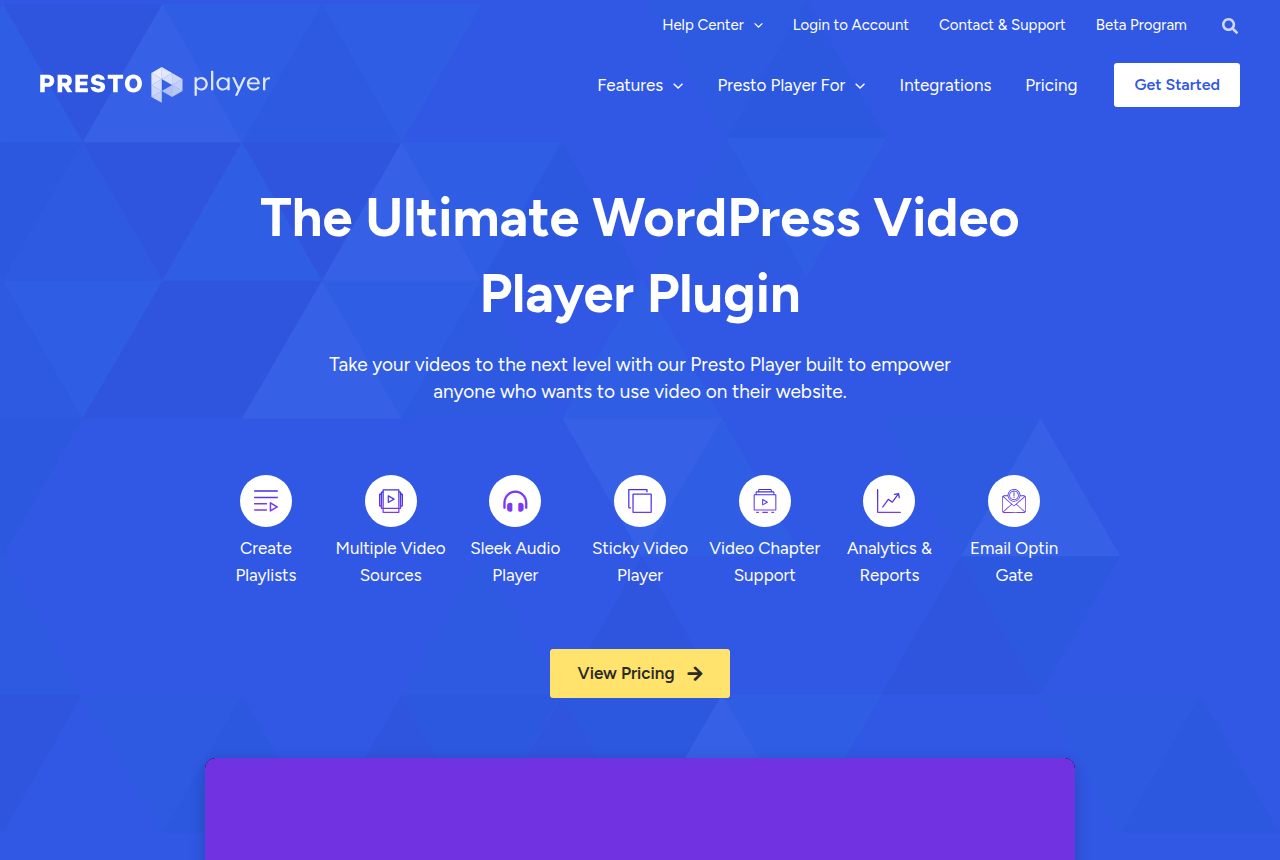
Presto Player homepage headed "The Ultimate WordPress Video Player Plugin" with a View Pricing button and a strip of feature labels

By Marcus Vale, Lead reviewer. Reviewed by the VSLBench editorial desk. Last updated 23 October 2026, with prices rechecked every 90 days.

Starts at
$79/yr (Starter), free version available
Hosts video
No, you bring a host (Bunny, Vimeo, self-hosted)
Conversion tools
In-player CTAs, email opt-in gate, muted autoplay
Analytics
View time and retention, via its dashboard and Google Analytics
Sales-scored A/B
No, and no revenue attribution

Quick answer

Presto Player is our top pick for most people. Presto Player is the pick if the sales page runs on WordPress and you want a branded player with lead capture, while the video file stays on a host you already pay for. You point the plugin at Bunny Stream, Vimeo, YouTube or a self-hosted file. It wraps that file in an ad-free player with in-player calls to action, an email opt-in gate, chapters, a sticky player and private videos limited to logged-in viewers, with expiring links. A free plugin lets you try it before a paid plan. The dashboard records watch time. If you buy traffic to the page, you still need another tool to see which visits turn into sales.

  • Presto Player. Best for WordPress course and membership video. Has a free tier.

People recommend Presto Player as a cheap way to move WordPress videos off YouTube and Vimeo, so you want to know whether it is legitimate and whether you will regret buying it. It is legitimate and widely used. Buyers who regret it usually expected a video host or a direct-response conversion tool, and Presto Player is a player.

Presto Player is a WordPress plugin that takes a video you host somewhere else and wraps it in a fast, ad-free, brandable player, with the marketing hooks most players skip: in-player CTAs, an email opt-in gate, muted autoplay, chapters, a sticky player, and private videos locked to logged-in users with expiring links and an optional watermark overlay. It plays from Bunny Stream, Vimeo, YouTube or a self-hosted file, works with every major page builder, and hooks into LMS tools like LearnDash. For a course, a membership library or a marketing page built on WordPress, you get a lot of features for the price.

Where a paid-traffic marketer has to be careful is measurement, and running cost. Its analytics stop at view time and audience retention. It cannot run a split test that picks the winning video by sales, and it does not attribute revenue, so on a video sales letter you cannot tell which traffic source produced the buyers. And because it does not host your video, the plugin price is not the whole bill: you pay a host on top, and when playback breaks the fault can sit on either side. Below we cover what the plugin does, what it leaves to your host, and what long-term users report.
What works

  • In-player calls to action, an email opt-in gate, muted autoplay and an action bar
  • Private videos for logged-in viewers, with expiring links and an optional viewer-detail watermark
  • Works with Gutenberg, Elementor, Beaver Builder, Divi and LearnDash
  • A free plugin on WordPress.org, then paid plans and a lifetime license

What to watch

  • A playback fault can sit with the plugin or with the host, so support runs across two vendors
  • Tying a sale back to a visit takes another tool
  • It runs as a WordPress plugin, so a funnel on another platform cannot use it
  • The introductory annual rate renews at the regular price in the pricing table, and public-forum replies have been slow for some people
  • The free plugin is limited to default presets. Marketing features are on a paid plan.

The features, up close

Screenshots from Presto Player's own documentation, each credited to the page it came from.

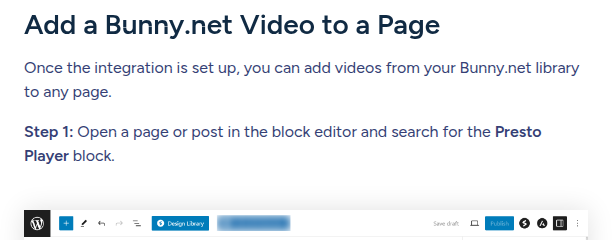
Bunny Stream video library integration
Presto Player's documentation page headed "Add a Bunny.net Video to a Page", explaining that once the integration is set up you add videos from your Bunny.net library through the Presto Player block in the WordPress editor, whose toolbar is visible at the bottom.

Source: prestoplayer.com

What users actually say about Presto Player

Research: unverified

Established WordPress plugin ↑ frequently praised

The WordPress.org listing shows more than 100,000 active installations and a 4.8 out of 5 star rating. A recent five-star review praises responsive support when bugs are reported.

“Solid product, and clearly a team that takes bug reports seriously.”

nektardesign1977 Blog: Great plugin, outstanding support

“Active installations 100,000+”

WordPress.org Blog: Presto Player plugin directory listing

“4.8 out of 5 stars.”

WordPress.org Blog: Presto Player plugin directory listing

Performance needs tuning

Forum users blamed Presto Player 3 for PageSpeed drops and caching conflicts. Another user fixed slow black-screen loads by switching to the Page Load Speed (Extreme) preset.

“At this point Presto Player is not useable.”

WordPress.org support forum Blog: Presto Player 3 breaks pagespeed

“The website dies for minutes. Nothing will work or navigate”

WordPress.org support forum Blog: Slow kills the website

“Solved it by setting all the video players performance settings to Page Load Speed (Extreme).”

WordPress.org support forum Blog: Video players load too slow

Host and plugin can fail separately

Presto Player is the WordPress player, so a playback problem on LearnDash or Bunny Stream can take two vendors to sort out. Some people report a stable setup. Others see a blank player until support replies.

“Bunny.net videos not shown at all in Learndash lessons, only a blank space”

WordPress.org support forum Blog: Bunny.net videos blank in LearnDash lessons

“rock solid”

r/Wordpress Reddit: Using PrestoPlayer + Bunny Stream for member-only videos?

What users say

Most testimonials on the vendor's own pages praise the same thing: getting away from YouTube's lag and Vimeo's cost. One customer writes, "No more 'Lag' waiting for YouTube videos to load and all the privacy of Vimeo without the huge cost. Well done!" The vendor chose those quotes, but the independent record points the same way. WordPress.org lists more than 100,000 active installations and a 4.8 out of 5 rating, and the plugin is updated often. A user on r/Wordpress running several member-only video projects on Presto plus Bunny Stream called the setup "rock solid".

The complaints are about the stack and about support. Because you run a plugin in front of a separate host, a playback problem can come from either side, and some buyers found public-forum support slow. One LearnDash user opened a thread titled "Bunny.net videos not shown at all in Learndash lessons, only a blank space," and it went unanswered for some time. Before you move a library that earns money, test your exact WordPress, Presto and host setup on one page.

Pricing

The first price is the introductory rate on the pricing page. The last column is the full price printed beside it.

Plan Introductory Sites Full price
Starter $79/yr 1 $99/yr, billed annually
Pro $119/yr 25 $149/yr, billed annually
Lifetime $399 25 $499, lifetime updates
Split pay $139 x3 25 Three monthly payments

Annual renewals use the regular price in the last column. Lifetime is one purchase at the introductory figure. The free plugin includes default presets. The paid column in the comparison is labeled customizable. You can ask for a full refund within 14 days of purchase. Split pay is three monthly installments of the lifetime license, and a missed installment puts that license on hold. The plugin plays a file from a host you already pay for.

Presto Player for a sales video

I would stick with Presto Player if the site is already on WordPress and the video file stays on a host you pay for separately. On a paid plan the player can start muted, put a button over the picture, and hold an email form in front of the rest of the clip. Presto Player's features page lists those controls. The analytics on that page are view time and audience retention.

WordPress.org lists more than 100,000 active installations and a 4.8 out of 5 star rating. If the open question is which host keeps that WordPress page fast, start with the WordPress player and video host guide. The Presto Player alternatives page lists other tools by the reason you would switch.

Changelog

  • 24 Sep 2026: first published. We read Presto Player's homepage, pricing page, features page and Bunny.net integration docs, gathered long-term user reports from the WordPress.org directory, its support forum and Reddit, and captured the Bunny integration doc.
  • 23 Oct 2026: The title now names the review and who this WordPress player suits. The plan table shows the introductory rate beside the full price, including lifetime and three-payment lifetime. A new section links the WordPress host guide and the alternatives page.

Frequently asked questions

Who should use Presto Player on a funnel page?
Someone whose page is already on WordPress, whose file is already on another host, and who wants a muted start, a button or an email form on the player.
What does the free plugin include?
Default video presets. Custom player controls are on the paid rows of the table.
What do I pay after the first year?
The regular price in the last column, for Starter and for Pro. Lifetime is a single purchase.
Is there a trial?
The refund in the pricing note is that window. There is no separate timed trial, so the free plugin is how you try the player before you pay.
Should I buy the plugin or a host?
The plugin is the controls on a WordPress page. Pair it with a host for the file. Switch players when the report has to include the sale.

Sources

From Presto Player

Other sources

8 discussions and reviews read for this page. Quotes are excerpts; open a link to read the original in context.

  1. [] Presto Player home (vendor) Blog
  2. [] Presto Player pricing (vendor) Blog
  3. [] Presto Player features (vendor) Blog
  4. [] Bunny.net video library integration (vendor docs) Blog
  5. [] Presto Player on the WordPress.org plugin directory Blog
  6. [] Bunny.net videos not shown in LearnDash lessons (WordPress.org support) Blog
  7. [] Using Presto Player + Bunny Stream for member-only videos (r/Wordpress) Reddit
  8. [] Fed up with Vimeo, seeking an alternative (r/agency) Reddit

Related reading

Marcus Vale

Written by

Marcus Vale

Lead reviewer

Marcus Vale runs the VSLBench review desk. He has spent years driving paid traffic to video sales letters, and he now reads the player docs, pricing pages and long-term user reports to work out which tools actually move sales instead of just counting views. He writes the player and attribution reviews here, and he makes sure every ranking says which buyers should skip each tool.

marcus@vslbench.com

Last checked 2026-10-23

Comments

No comments yet. Questions and your own experience are welcome.

Leave a comment

Thank you. Your comment will appear once it has been reviewed.