Skip to content
Menu

Alternatives

Vimeo OTT alternatives

Vimeo OTT can host a subscription streaming service. The apps most operators want sit on the quote-only Enterprise contract. Here are five platforms worth moving to: four for running a streaming service, and one for the reader whose video turns out to be a paid-traffic sales letter.

By Marcus Vale, Lead reviewer. Reviewed by the VSLBench editorial desk. Last updated 21 October 2026, and rechecked with prices every 90 days.

You have a subscription video service to run, or one you want to launch, and Vimeo OTT (the platform that used to be VHX) does not fit. On paper the deal is clean: a dollar per subscriber a month, bandwidth included, no upfront cost. Then you go to add your own Roku and Apple TV apps, or ad-supported tiers, or live pay-per-view, and you find every one of them is on the Enterprise plan, which has no public price and wants an annual contract. That is where most people start looking.

The complaints line up around that wall. Operators on Reddit report that indicative Enterprise pricing is hard to get, that quotes arrive high, and that Vimeo’s wider plans have seen sudden increases. Vimeo’s September 2025 agreement to be acquired by Bending Spoons added another question mark about where pricing lands next. None of that means Vimeo OTT is a bad platform. The moment the service needs apps, ads or a television audience, the price is a private contract, and the other platforms on this page are the comparison.

One distinction saves a lot of wasted trials. Vimeo OTT is an OTT platform: many titles, watched behind a login, often on a TV. A video sales letter is a single conversion video on a landing page. If you came for the sales letter, start with the third pick. It sits in the list because a video that produces a sale ranks higher here.

For the operators who do want a streaming service, there is no single winner, because the four real alternatives each solve a different version of the job. This page ranks them by what you are running, names the price each charges in money and in fees, and states the one thing each gets wrong, so you can skip the ones that do not fit before you book a demo. It also names, at number three, the one pick for the reader whose video is a recorded sales letter rather than a catalog, because on this site the tool that proves the sale outranks a host that cannot.

My take

I'd start with Uscreen for a subscription catalog, because the monthly price and the per-member fee are both published. Skip Dacast when viewers watch on a television. Use TrackPlay for one sales letter, when the question is which ad produced the sale.

Quick answer

Uscreen is our top pick for most people. For a subscription service, it is the platform with recurring billing, viewer trials and a published path to your own apps. The per-member fee stacks on the monthly plan, so the bill climbs with the list.

  • Uscreen. Best for recurring memberships with apps and a community.
  • Dacast. Best for live and pay-per-view events.
  • TrackPlay. Best for a paid-traffic sales video.
  • Muvi One. Best for a fully white-label platform you own.
  • Kajabi. Best for coaching and course businesses.

The shortlist, by what you are running

Five platforms, five different jobs. Four run a streaming service. TrackPlay, at number three, is for the reader whose video is a paid-traffic sales letter, and it places that high because the ranking follows the sale. Pick the line that matches the business you are building.

  1. 1

    Uscreen, for a paid membership with your own apps

    The closest like-for-like swap for Vimeo OTT. Netflix-style catalog, subscriptions, community, live streaming and your own iOS and Android apps, with the price for all of it published rather than quoted. Best when you want apps and retention tools without a sales call.

  2. 2

    Dacast, for live and pay-per-view events

    A broadcaster’s platform with a built-in paywall, priced on the bandwidth you use rather than a fee per subscriber. Strong for live streams, one-off events and DRM-protected VOD. Not the pick if you need television apps.

  3. 3

    TrackPlay, for a paid-traffic VSL rather than a streaming service

    TrackPlay sits this high because the ranking follows the sale. A VSL player and analytics platform that ties every second watched to who actually bought and posts the sale back to Meta, TikTok and GA4. The pick if you landed here wanting a conversion video.

  4. 4

    Muvi One, for a fully white-label platform you own

    The widest device coverage here, with white-label web, mobile and TV apps and every monetization model built in. Also the priciest and most complex, so it fits an operator building a serious streaming business.

  5. 5

    Kajabi, for a coaching or course business

    The right call when your streaming service is really structured education. Courses, memberships, community, email and checkout in one system, with a branded mobile app on higher tiers. No TV apps, so the audience is on the web and a phone.

How they compare with Vimeo OTT

Vimeo OTT is the top row, so you can see what changes when you switch.

Platform From Native apps Monetization Community Pricing
Vimeo OTT $1/subscriber/mo Enterprise only SVOD, TVOD No Public on Starter, quote for Enterprise
Uscreen $49/mo Phone apps, TV extra SVOD, TVOD, trials Yes Public
Dacast $39/mo Web player only Paywall (SVOD, TVOD, PPV), ads No Public (usage-based)
TrackPlay Free / $29/mo No, one embed in a funnel Not a subscription service No, conversion analytics instead Public
Muvi One $399/mo Web, iOS, Android, TV on Professional+ SVOD, TVOD, AVOD Basic (Pro+) Public + variable fees
Kajabi $143/mo Branded mobile app (Pro tier) Subscriptions, one-time, courses Yes Public

Vimeo OTT’s $1 is per subscriber a month. The others’ From figure is a monthly plan. Uscreen and Muvi add a per-subscriber or variable fee on top. TrackPlay is the odd row on purpose: it is a paid-traffic VSL player, billed by plays, so its OTT columns read as the different job it does. Read the detail below before comparing the numbers straight across.

Vimeo OTT alternatives for subscription services

A recurring membership bills the same person every month, lets a stranger sample the catalog, and usually has to show up on a television. The monthly plan is the first line of that bill. The second line is the fee on each member, each rental, or each gigabyte. The third is whether Roku, Fire TV and Apple TV are in the plan.

Three fee shapes for a subscription video service: a row of small coins beside person marks, a pie with one slice set apart, and a server box with a meter.
Three ways the bill is built: a coin beside each member, a slice of each sale, or a meter on delivery.
Platform Recurring fee Trials Roku, Fire TV, Apple TV Cut of a sale
Vimeo OTT $1/sub/mo + 2.5% + 30¢ Web trial skips the $1 Enterprise only 10% + 50¢ on rentals
Uscreen $0, $1.99 or $0.99 per sub 14-day platform trial Named. Add-on, then five on Custom 10% on Starter, 5% above
Dacast No fee per subscriber 14 days, no card Absent from the plan list 9.9% + $0.40 per paywall sale
Muvi One No per-user fee Trial, no card From Professional Extra apps $299 or $499/mo
Kajabi No platform share Trial, 30-day money-back Absent from the pricing chart 2.7% to 2.9% + 30¢

An annual membership is billed as $12 up front, twelve times the monthly dollar. Vimeo’s pricing breakdown still charges that dollar when a promo makes the viewer’s price zero. A trial on the web skips it. A signup inside an app is charged, because that article says Vimeo cannot separate a trial account from a paid one there. Branded apps also add fulfillment fees, charged to the card on file, and that line includes people added for free. Payouts go out monthly through Stripe Connect.

Uscreen’s own slider calls Growth the cheaper plan at 200 paying members, at $547 a month. At 300 members, Growth and App Essentials both land on $746, and past that point App Essentials is the cheaper of the two. Viewer trials, rentals and one-time buys are on every plan. In-app purchases of a single video are listed for U.S. customers on App Essentials and Custom. Stripe and PayPal run the payout.

Dacast’s commission note says the 9.9% already covers PayPal and the bank transfer. A payout request can still draw a fee from the bank or from PayPal, depending on how fast you want the money. The plan list shows an embeddable player and playback on a phone. Roku, Fire TV and Apple TV are absent from that list.

Muvi’s extra-app prices are $299 a month each on Standard and $499 a month on Professional and Enterprise. Standard already includes the website and the phone apps. Apple TV, Fire TV and Roku, plus Android TV, Samsung, LG and Vidaa, switch on at Professional. The variable-fee page charges for bandwidth and delivery on top of the plan. Bandwidth starts at 9 cents a gigabyte, storage at 7 cents, encoding at 50 cents, and DRM at 1 cent a view. Those are the standard overage rates, and bulk buys step down.

Kajabi’s card rates are for U.S. entities on Kajabi Payments: 2.9% plus 30 cents on Basic, 2.8% plus 30 cents on Growth, and 2.7% plus 30 cents on Pro. A third-party processor, other than PayPal, adds another 2%, 1% or 0.5% by plan. The branded phone app is on Pro, listed there as a $199 a month value included in the plan. The pricing chart leaves the trial length unstated, and every plan carries a 30-day money-back guarantee.

TrackPlay, third in the ranking, bills a sales video by the play. Subscriber checkout, a catalog trial and living-room apps sit outside what it sells. The limit in its section below still applies: it is built for a paid-traffic sales letter, and outside proof is thin.

If the membership model is the one you want, the Uscreen alternatives cover the rest of that field. For live events and pay-per-view, the Dacast alternatives are the next stop. Selling a film as a rental, rather than a membership, is a different job, covered in the Vimeo On Demand alternatives.

The alternatives, in detail

1. Uscreen, best Vimeo OTT alternative for memberships

From $49/mo. Apps, community and live streaming with published pricing.

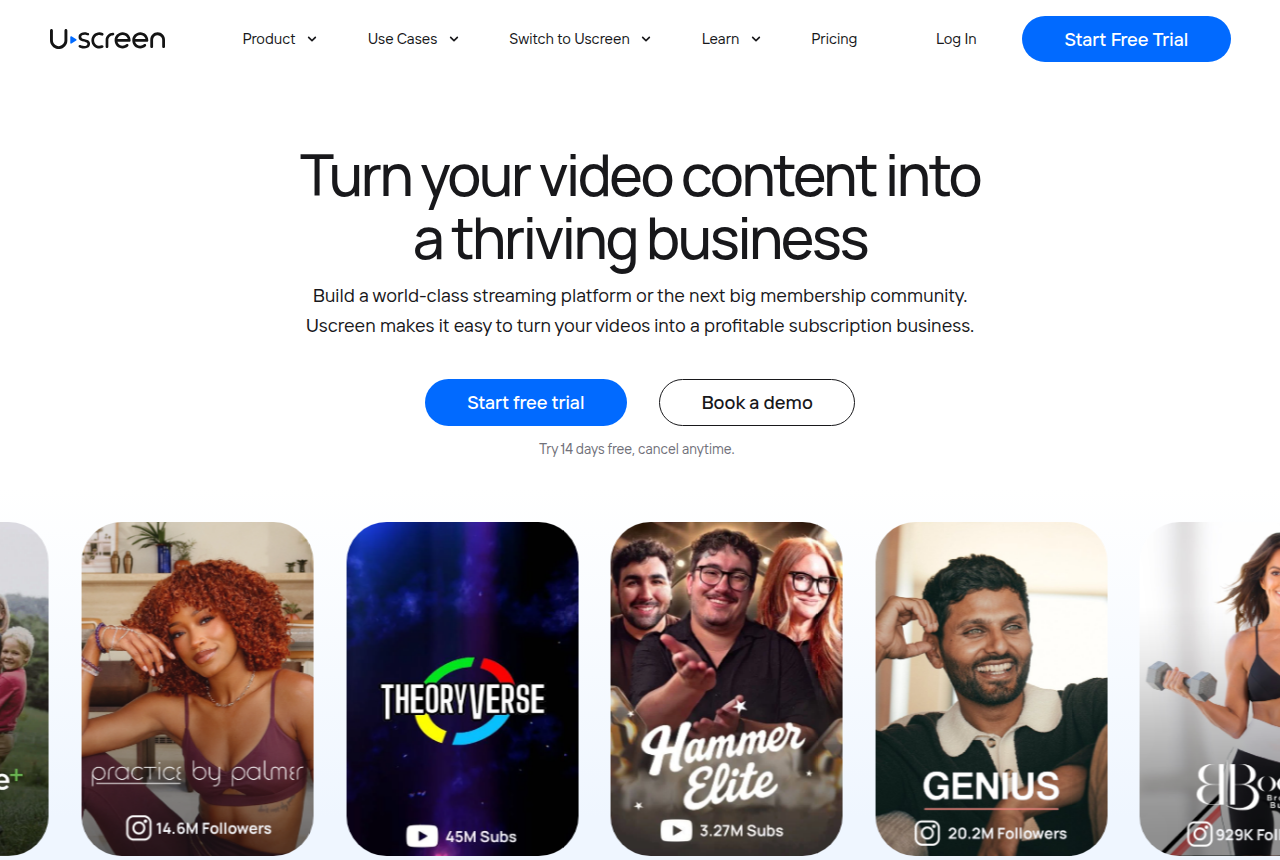
Uscreen homepage with the headline "Turn your video content into a thriving business" and a "Start free trial" button
Uscreen’s homepage, presenting its all-in-one video membership platform.

Uscreen runs a paid subscription video service, the same job as Vimeo OTT, and publishes the app and community tools that Vimeo puts on a sales call. On its plans you get a Netflix-style catalog, subscriptions and free trials, native live streaming, a built-in community space, and, from the App Essentials plan, your own iOS and Android apps. Where Vimeo OTT gates apps to a quote-only Enterprise contract, Uscreen prints the number: $449 a month on the annual App Essentials plan. That transparency is the single biggest reason people cite for switching.

Read the pricing as a stack. Starter is $49 a month and caps you at 100 subscribers on a Uscreen-branded domain, so it is a way to test the idea. Growth ($149 a month on an annual bill) removes the subscriber cap and gives you a custom domain, and adds a $1.99 fee per subscriber a month. App Essentials drops that fee to $0.99 and includes the apps. So compared with Vimeo OTT’s flat $1, Uscreen costs more per member, and the gap is the price of the community, marketing and app tooling built in around the video.

Through the site’s lens, that tooling is the point. A subscription business lives or dies on trial-to-paid conversion and churn, and Uscreen’s marketing automations, community and app push notifications are aimed squarely at retention rather than just playback. On App Essentials and Custom, Uscreen moves your content, users and payment records. On Starter and Growth you bring the library and the list over yourself. The app builder puts Roku, Apple TV and Fire TV on App Essentials and Custom, while the plan chart labels TV apps as an add-on on App Essentials and includes five of them on the quoted Custom plan. The full community toolkit sits on that Custom plan, so the top of the range comes with a sales call.

What works

  • Transparent published pricing that includes apps at $449/mo, where Vimeo hides apps behind a sales call
  • Community, native live streaming and marketing automations built in, aimed at retention rather than just hosting
  • On App Essentials and Custom, Uscreen moves your content, users and payments. On Starter and Growth you move the library yourself

What to watch

  • A per-subscriber fee stacks on top of the monthly plan ($1.99 on Growth, $0.99 on App Essentials), so the bill climbs with your list
  • Starter is capped at 100 subscribers on a Uscreen-branded domain, so treat it as a test tier
  • The plan chart marks TV apps as an add-on on App Essentials and includes five of them on the quoted Custom plan, where the full community toolkit also sits

Also weighing Vimeo’s regular hosting? See our Vimeo review and the wider alternatives to Vimeo.

2. Dacast, best Vimeo OTT alternative for live events

Usage-based, with a paywall.

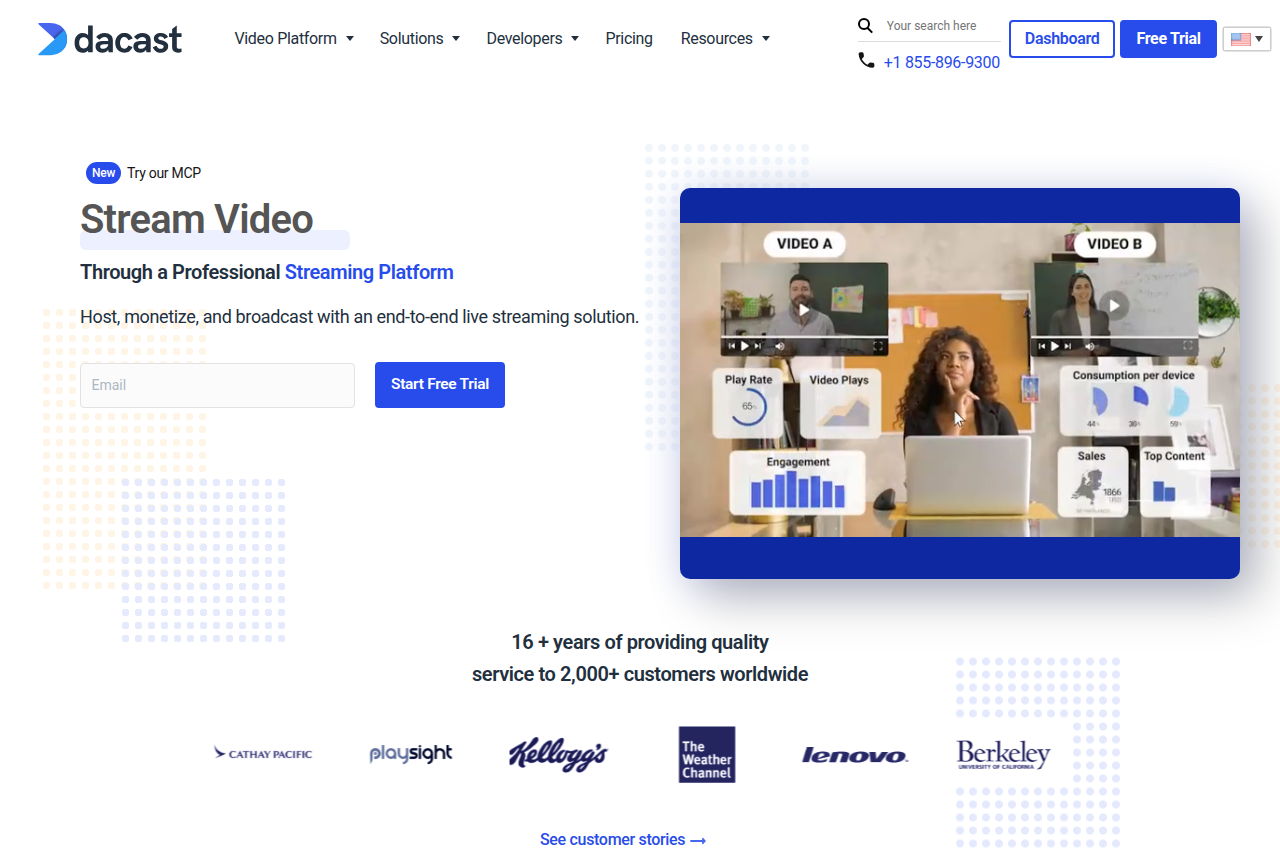
Dacast homepage with the headline "Stream Video Through a Professional Streaming Platform" and a "Start Free Trial" button
Dacast’s homepage, showing its professional live streaming and video hosting platform.

Dacast comes at the same problem from the broadcaster’s side. It is built for live streaming first, with reliable multi-CDN delivery, a paywall for pay-per-view and subscriptions, ad insertion, and DRM and AES protection on the Scale plan. If your Vimeo OTT channel leans on live events, a weekly show, a conference, a sports feed, a church service, this is the platform that treats that as the main event rather than an Enterprise add-on.

The pricing model is the real difference, and it cuts both ways. Dacast sells you a bandwidth and storage allowance. Starter, the lowest annual tier, includes 2.4 TB a year and 500 GB of storage. Scale includes 24 TB and 2 TB. There is no fee per subscriber. At a few thousand light-viewing members that works out to pennies each, well under Vimeo OTT’s dollar. But a binge-watch catalog burns through the allowance fast, overages run $0.30 per GB of data and $0.15 per GB of storage, and the paywall, an add-on on Starter and included from Event, takes 9.9% plus $0.40 on every purchase. Model your real watch hours before you assume it is the cheaper option.

The honest limit is scope. Dacast sells streaming infrastructure and live events, with a web player and a paywall on the standard plans, and the community tools stay thin beside a membership platform. If you are leaving Vimeo OTT for Roku and Apple TV apps, Dacast covers the stream and leaves the membership to you. The fee on that paywall is in Dacast’s knowledge base, and the subscriber dollar is in Vimeo’s help center. A 14-day trial with no card is enough to see whether the paywall fits.

What works

  • Usage-based annual plans, cheaper per subscriber than Vimeo OTT once your bandwidth is covered
  • Strong live and pay-per-view event streaming with a built-in paywall, plus DRM and AES on the Scale plan
  • No per-subscriber SaaS fee: you pay for the bandwidth and storage you actually use

What to watch

  • It is a live-broadcast platform, not a membership-app builder: there are no native Netflix-style mobile or TV apps in the standard plans
  • Bandwidth and storage overages ($0.30/GB data, $0.15/GB storage) can dominate the bill on a heavy-viewing catalog, and the paywall takes 9.9% + $0.40 per purchase
  • Community, marketing automation and audience tools are thin next to a purpose-built membership platform

3. TrackPlay, best Vimeo OTT alternative for a paid-traffic VSL

Free plan: 1,000 plays/mo, watermarked. Paid plans bill by the play. Visit TrackPlay.

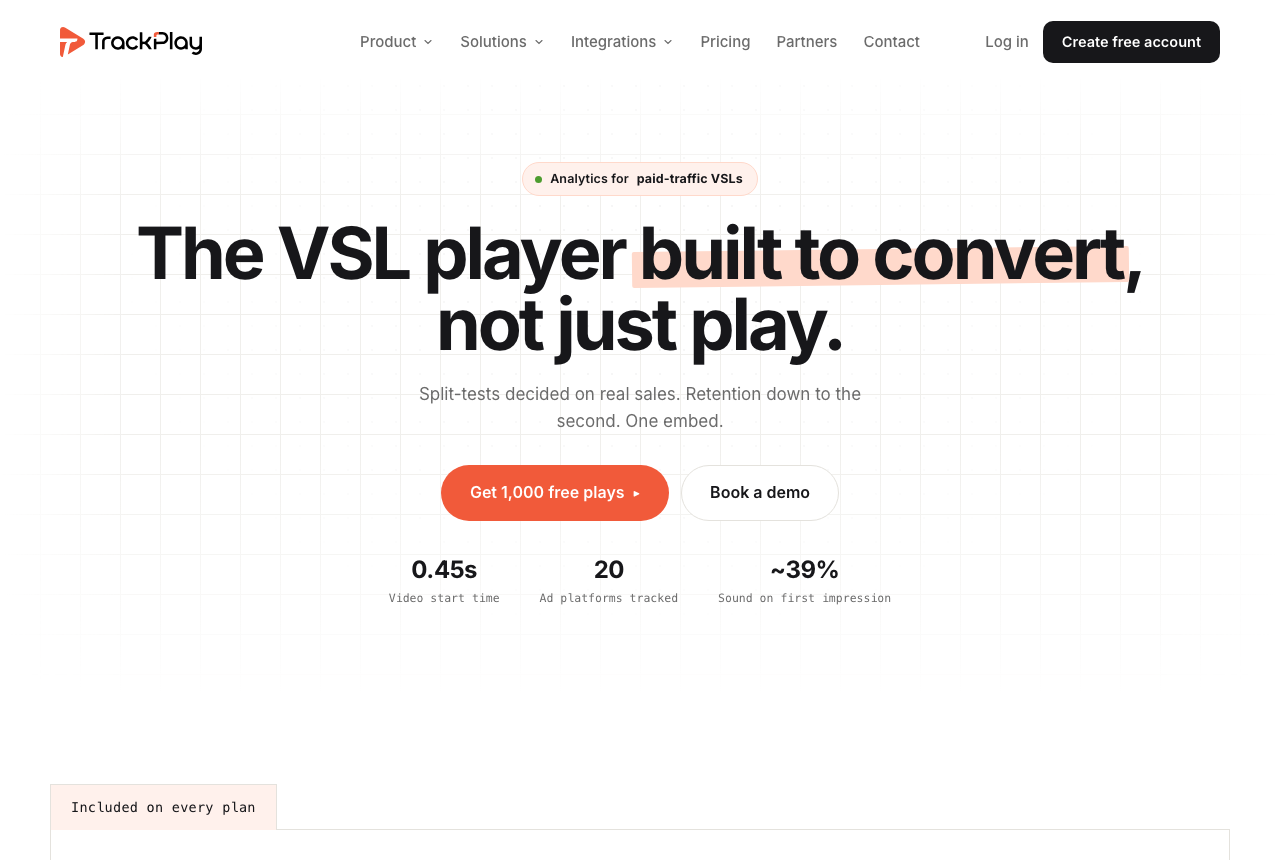
TrackPlay homepage, headline "The VSL player built to convert, not just play", with an "Analytics for paid-traffic VSLs" label and stats for video start time, ad platforms tracked and sound on first impression
TrackPlay’s homepage, a VSL player and analytics platform for paid-traffic funnels.

Every platform above answers how to run a subscription streaming service: a catalog of titles, watched behind a login, ideally on a television. If your video is not a catalog at all but a single recorded sales letter you run paid traffic to, that was never your question, and no OTT platform answers the one that is: which player produces the most sales, and how do you prove which ad produced the sale. TrackPlay is a VSL player and analytics platform built for exactly that. It hosts the recorded video behind one embed that drops into any funnel builder, holds attention with sound-first autoplay and timed CTAs, and tracks second-by-second retention split into buyers and non-buyers, so you can see which seconds to cut and which to keep. What sets it apart is what happens after the play: it decides split tests on the cart-verified sale with real statistics, a z-test with a p-value and a confidence interval, and the cart posts that sale back onto the play that earned it, server-side to Meta, TikTok and GA4, so the ad platform learns from the actual buy rather than a page-load pixel. It bills by plays instead of subscribers or bandwidth, from a no-card free plan of 1,000 watermarked plays a month up to paid plans that bill by the play, with a 14-day trial of the paid features.

Weigh two limits before you build on it. Each one covers a feature this product leaves out, and the rest still applies. It is narrow by design: built for paid-traffic VSL conversion, it has none of the channels, SEO pages or webinar tooling of a Wistia, and it is a poor fit when the video’s job is content marketing. It is also very new, with thin independent validation: the testimonials are on its own site, there is no meaningful third-party review or Reddit footprint yet, and signup is currently invite-only, with the registration page asking for an invitation code, so you cannot lean on outside proof the way you can with a streaming platform that has years of operator threads behind it. That thin track record is what you would expect of a platform this recent, so pilot it on one funnel and reconcile the numbers against your own cart before you trust it with real ad spend.

If that is your job, do not stop at this one name. We rank the whole direct-response field, TrackPlay included, in our best VSL players and conversion video software guide, which is the place to start rather than forcing a recorded sales letter through a platform built to run a subscription catalog.

What works

  • The free plan needs no card and ships every feature: 1,000 watermarked plays a month, a 14-day trial of the paid features, and paid plans that bill by plays
  • Split tests are decided on the cart-verified sale, with a real z-test, p-value and confidence interval, and every variant runs under one embed so ad links and the campaign’s learning never reset
  • Server-side conversion tracking to Meta, TikTok and GA4 fires on the watch-time milestone you choose and dedupes browser and server events, so the ad platform learns from the actual sale rather than a page-load pixel
  • Cart postbacks tie each sale to the play that earned it from seven direct-response carts, including ClickBank, ClickFunnels and Digistore24, server to server
  • Per-second retention split into buyers and non-buyers, with hook rate, hold rate and revenue per play, so you can see the exact seconds to cut or protect

What to watch

  • It is narrow by design: built for paid-traffic VSL conversion, it has none of the channels, SEO pages or webinar tooling of a Wistia, and it is a poor fit if the video’s job is content marketing
  • It is very new, with thin outside proof: the testimonials are on its own site, there is little third-party review or Reddit footprint yet, and signup is currently invite-only, so you cannot lean on independent validation before you commit paid traffic. That is what you would expect of a platform this recent

4. Muvi One, best Vimeo OTT alternative for white-label

White-label web, mobile and TV apps.

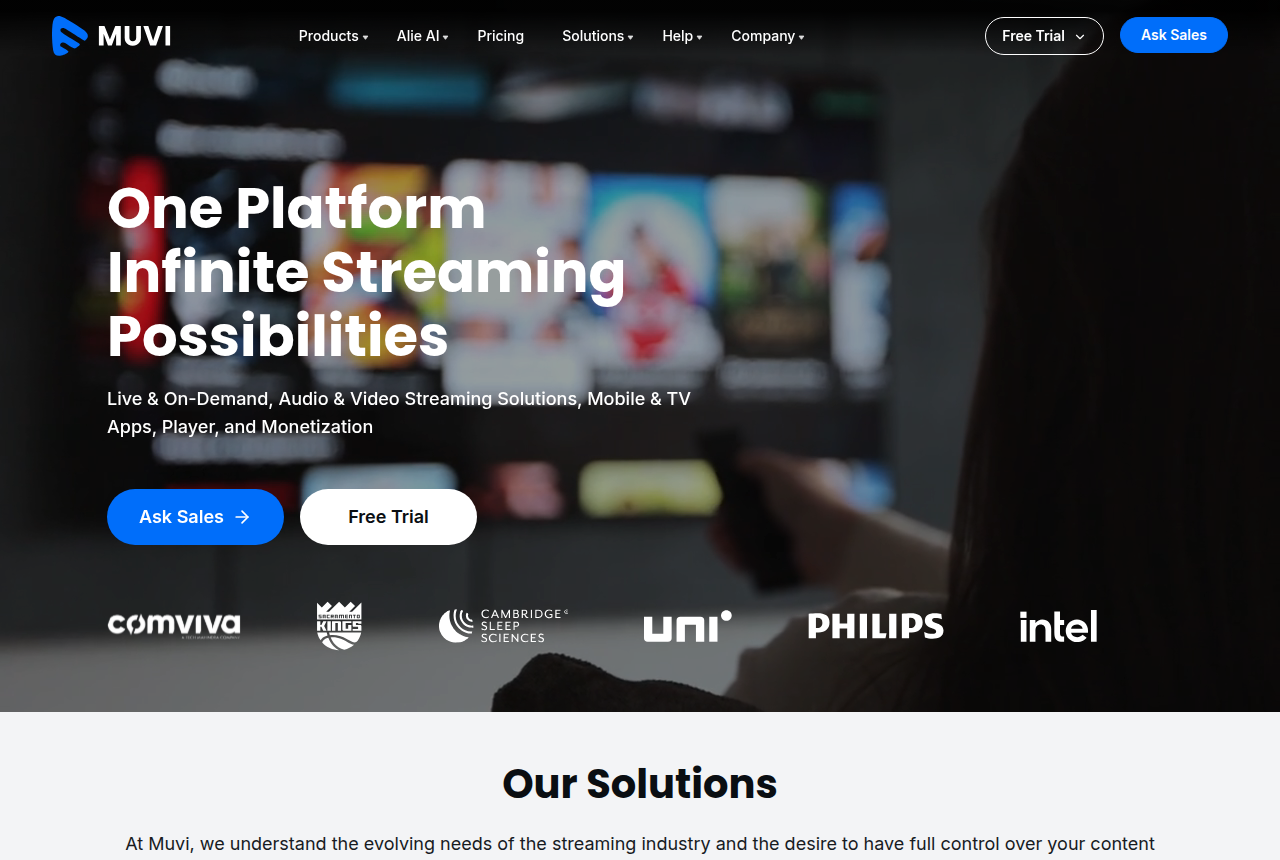
Muvi homepage with the headline "One Platform, Infinite Streaming Possibilities" and Free Trial and Ask Sales buttons
Muvi’s homepage, presenting its no-code, multi-device streaming platform.

Muvi One is the choice when you want the whole platform in your own brand, on every screen. It is a no-code builder that ships a fully white-label website plus apps across web, mobile and, at higher tiers, more than ten TV platforms including Roku, Apple TV, Fire TV, Samsung and LG. Every monetization model is built in, SVOD, TVOD and AVOD, alongside DRM, FAST linear channels and multi-currency checkout. In feature breadth it is the platform that most obviously outruns Vimeo OTT Enterprise, and it publishes its tiers instead of hiding them.

It is also the most expensive and the most involved option here. The Standard plan includes white-label web and mobile apps. TV apps arrive on the Professional tier, and Enterprise is the tier above that. Variable infrastructure and AI-credit fees sit on top of the plan, so the sticker price is a floor. Owning the whole stack means you run a streaming business, with the overhead that implies.

Set against the site’s test, whether the platform helps you convert and keep subscribers, Muvi gives you the raw materials (analytics, DRM, every payment model, apps everywhere) but expects you to assemble the growth machine yourself. For a small creator who just wants a paywalled library, that depth is overkill and the price is hard to justify. For an operator with a real content catalog, a budget and a plan to fill ten app stores, it is the most complete answer to Vimeo OTT on this list. There is a free trial with no card and no contract, so you can see the CMS before committing.

What works

  • The widest device coverage here: white-label web, mobile and TV apps across 10+ platforms, built with no code
  • Owns the whole stack (SVOD, TVOD, AVOD, DRM, FAST channels, multi-currency), so you are not boxed into one model
  • Transparent tiered pricing with no revenue share taken from your subscriptions

What to watch

  • Entry sits well above Vimeo OTT Starter, and TV apps start on the Professional tier
  • Variable infrastructure and AI-credit fees are billed on top of the plan, so the sticker price is not the full bill
  • The feature depth is overkill for a small creator who only needs a paywalled video library

5. Kajabi, best Vimeo OTT alternative for coaching

From $143/mo billed annually. Courses, memberships and a branded app.

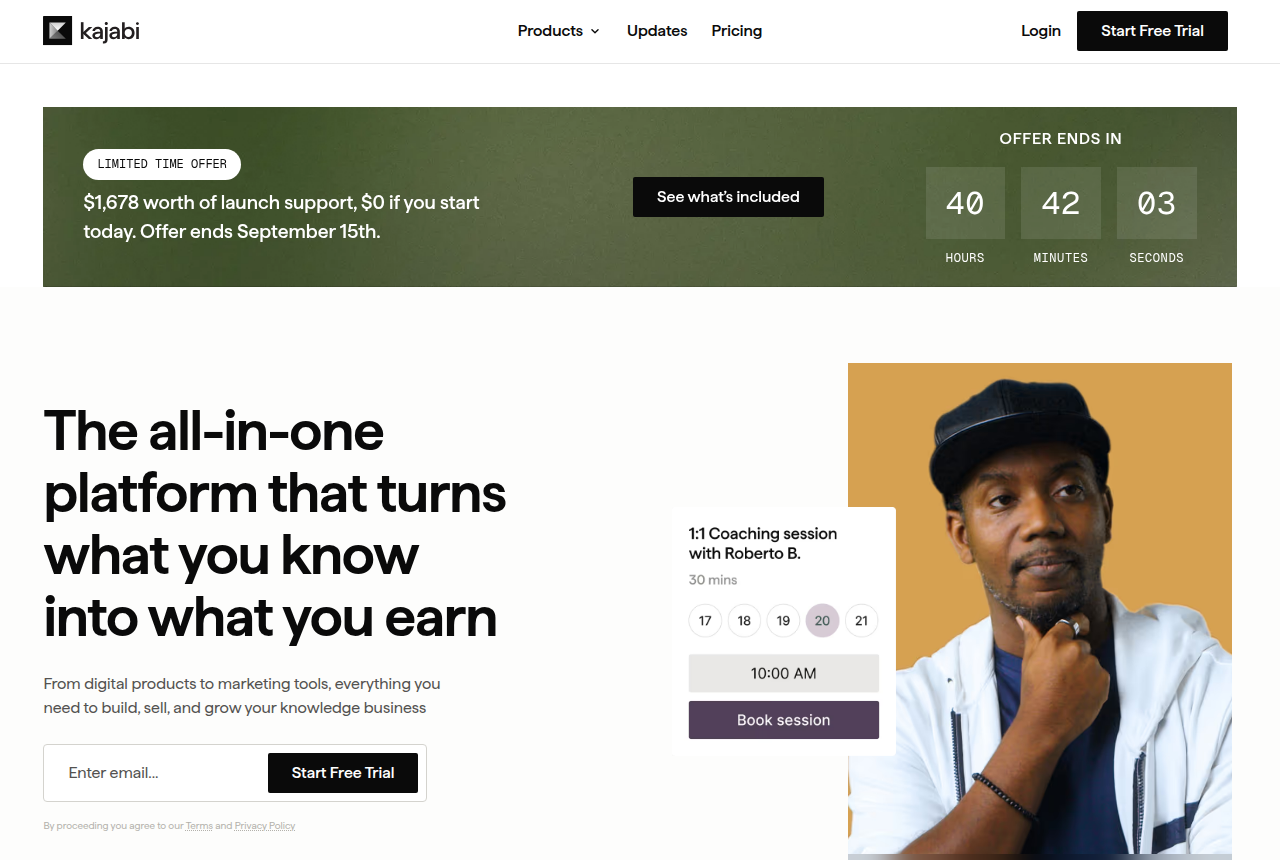
Kajabi pricing page with the headline "One platform. All your business needs." and Basic, Growth and Pro plan cards
Kajabi’s pricing page, showing its Basic, Growth and Pro plans for expert businesses.

A lot of what gets called a streaming service is really a coaching or course business with video attached, and for that, Kajabi is a better fit than any OTT platform. It puts the video inside a full stack, courses, memberships, a community, email marketing, funnels and checkout, so the content sits in a business rather than a bare player. If your Vimeo OTT channel is a fitness program, a training library or a membership around your expertise, Kajabi replaces both the video host and the half-dozen marketing tools around it.

Pricing is published and predictable: Basic is $143 a month on an annual bill, Growth $199, and Pro $399, with no revenue share when you use Kajabi Payments (standard card processing still applies). The branded mobile app that makes it feel like a real streaming product is a Pro-tier feature, so budget for the top plan if apps matter. There are no TV apps at any tier, which is the line that separates it from the OTT tools above.

That is the honest boundary. Kajabi is a course and coaching platform, not an over-the-top streaming service: it delivers lessons behind a login on the web and a phone, not a binge-watch catalog on a television, and it does not give you the deep per-title viewing analytics an OTT operator relies on. So it replaces Vimeo OTT only when your audience watches on a laptop and a phone and your revenue comes from programs rather than a channel. Within that boundary it is the most complete business-in-a-box on this page, and there is a 30-day free trial to test it.

What works

  • One system for courses, memberships, email, funnels and checkout, so the video sits inside the business
  • A branded mobile app and a community space are built in on higher tiers, aimed at course and coaching delivery
  • Transparent published pricing with no revenue share on Kajabi Payments plans (card processing still applies)

What to watch

  • It is a course and coaching platform, not an OTT service: there are no Roku, Apple TV or smart-TV apps, so it does not replace a TV channel
  • The branded phone app is a Pro feature, so budget for the top plan if a phone app matters
  • Video delivery is built for lessons behind a login, with lighter viewing analytics than a binge-watch catalog

How we evaluated these

We read each vendor’s own documentation and pricing pages for what a tool is, does and costs, and we read long-term operator reports for how each holds up once real subscribers and real bandwidth are behind it. Enterprise and Custom plans are quoted by the vendor, so the public cards are the numbers a self-serve buyer can use.

We judged each option on five things that decide a subscription business. The first is whether native mobile and TV apps are in the plan. The second is which charges are built in, among subscriptions, one-time sales, ads and pay-per-view. The third is whether the price is published. The fourth is the bill once per-subscriber, bandwidth or variable fees sit on the sticker. The fifth is the community, marketing and analytics that keep churn down, because retention is what pays the bills.

TrackPlay, at number three, is not judged on those five OTT criteria, because it is not trying to run a streaming service. It is here for the reader whose video is a paid-traffic sales letter rather than a catalog, so we hold it to the site’s own direct-response rubric instead: per-second retention split by buyer, split tests decided on the cart-verified sale, and conversion attribution posted back to the ad platforms. It ranks above the pure streaming platforms because a sale is what this ranking measures, and that is the one thing it does that they do not. That is the same standard we apply on our main best VSL players ranking.

We rank ordinally and publish no star scores, because a number invites you to argue with the decimal instead of the decision. You can read the full method behind our rankings and how we make money.

Changelog

  • 21 October 2026. Added how each alternative bills a subscription, handles trials, and prices Roku, Fire TV and Apple TV. Corrected Uscreen migrations: the team moves the library on App Essentials and Custom, and you move it yourself on Starter and Growth. Noted that Dacast’s paywall is an add-on on Starter.
  • 23 September 2026. Guide updated.
  • 14 September 2026. First published.

Frequently asked questions

What is the best alternative to Vimeo OTT?
For most people leaving Vimeo OTT, it is Uscreen. It replaces the same job, a paid subscription video service with a Netflix-style catalog, and adds the parts Vimeo puts behind a sales call: your own iOS and Android apps, a community space, live streaming and marketing tools, all with published pricing from $49 a month. Dacast is the better pick if you run live and pay-per-view events, Muvi One if you want a fully white-label platform with the widest TV-app coverage, and Kajabi if your streaming service is really a coaching or course business.
Why do people leave Vimeo OTT?
Three reasons come up repeatedly. Price: the Starter plan is a clean $1 per subscriber a month, but the apps, live pay-per-view, ad monetization and dedicated support most operators want are only on the Enterprise plan, which is quote-only and requires an annual contract. Opacity: operators on Reddit report it is hard to get even indicative Enterprise pricing, and some describe unexpected increases across Vimeo’s wider plans. Stability: Vimeo agreed to be acquired by Bending Spoons in September 2025, which left some buyers unsure where pricing goes next.
How much does Vimeo OTT actually cost?
Starter is a dollar per subscriber each month, plus card processing of 2.5% and 30 cents, and a year paid up front is twelve dollars. Rentals are a separate 10% plus 50 cents. A web trial does not trigger the dollar fee. A promo that is free still does. Enterprise is an annual agreement with no public price.
Which Vimeo OTT alternative has its own TV and mobile apps?
Uscreen and Muvi One both ship native apps. Uscreen includes iOS and Android on App Essentials and treats television apps as an add-on until Custom. Muvi One is the broadest: white-label web and mobile apps from Standard, and living-room apps from Professional. Dacast publishes a web player. Kajabi publishes a branded phone app on Pro.
Is Dacast cheaper than Vimeo OTT?
Dacast charges for a bandwidth and storage allowance. There is no fee per subscriber, so a few thousand light-viewing subscribers can work out to pennies each. Heavy viewing burns through the allowance, overages run $0.30 per GB, and the paywall takes 9.9% plus $0.40 on each purchase. Model your real watch hours before you call it the cheaper option.
How do these platforms price a subscription?
Four meters, and they do not match. Vimeo OTT and Uscreen charge for the member, then Uscreen also takes a cut of a one-time sale. Dacast takes a percentage of each paywall purchase and says that percentage already covers the processor. Muvi prints no per-user fee and then bills bandwidth, storage, encoding and DRM. Kajabi says you keep the sale, and the charge it lists is card processing.
What do Roku, Fire TV and Apple TV apps cost on a Vimeo OTT alternative?
On Vimeo OTT those three screens are an Enterprise feature, under an annual agreement with no public price. Uscreen names all three. Its plan chart treats TV apps as an add-on until Custom, which includes five and is quoted. Muvi includes them from Professional, and an extra app is a monthly line of its own. Dacast and Kajabi leave those three off their public plan charts. The Kajabi phone app is the Pro plan.
I just need a video sales letter player, not a streaming service. Is Vimeo OTT the wrong tool?
Yes. Vimeo OTT and the four streaming platforms above are for running a subscription service with many titles behind a login. A video sales letter is a single conversion video on a landing page, and it needs a tool that scores retention second by second, decides split tests on the sale, and fires the conversion back to your ad platform, which an OTT platform does not do. On this page the pick for that job is TrackPlay, at number three: it ties every play to the cart-verified sale and posts it back to Meta, TikTok and GA4. It is very new with thin outside proof, so pilot it on one funnel first. For the wider field, our best VSL players ranking is the place to start.

Sources

Other sources

16 discussions and reviews read for this page. Quotes are excerpts; open a link to read the original in context.

  1. [] Vimeo OTT pricing and plans (vendor) Blog
  2. [] Vimeo OTT pricing breakdown (Vimeo Help Center) Blog
  3. [] Uscreen pricing (vendor) Blog
  4. [] Dacast live streaming pricing (vendor) Blog
  5. [] Do you collect commission on Dacast pay-per-view and subscriptions? (vendor knowledge base) Blog
  6. [] Muvi One pricing (vendor) Blog
  7. [] Kajabi pricing (vendor) Blog
  8. [] Uscreen plan comparison (vendor) Blog
  9. [] Uscreen mobile and TV apps (vendor) Blog
  10. [] Uscreen video monetization (vendor) Blog
  11. [] Muvi variable fees (vendor) Blog
  12. [] TrackPlay: free plan, plays-based pricing and cart-verified attribution (vendor) Blog
  13. [] Vimeo OTT alternatives (r/VIDEOENGINEERING) Reddit
  14. [] Vimeo OTT experience? (r/vimeo) Reddit
  15. [] Frustrated with Vimeo, looking for one unified OTT and membership platform (r/Streaming_Solutions) Reddit
  16. [] Vimeo Enterprise pricing, bandwidth and storage costs (r/vimeo) Reddit

Related reading

Comments

No comments yet. Questions and your own experience are welcome.

Leave a comment

Thank you. Your comment will appear once it has been reviewed.