Keep each client's VSL on its own bill
A workspace per brand, a subscription per client, or several instances on one invoice.
You are running VSLs for several clients. Each one wants their logo on the player, your producers and strategists need their own logins, and you have to rebill traffic without blending the libraries.
Video hosting for agencies splits three ways. Choose Spotlightr when each brand needs its own workspace inside one login. Choose SproutVideo when you run one account per client and switch between them. Choose Wistia Enterprise when those separate instances should land on one combined bill. Open the cost calculator before you sign a retainer.
Compare the monthly bill in the cost calculator
What marketing agencies should verify first
Video hosting for marketing agencies breaks in the same four places. Settle them before anyone signs a retainer.
- The library has to be separate. Use a workspace or a dedicated account. Folders inside one library still share settings, analytics and a bill.
- The seats match the team. Count the people who upload and the people who read the numbers. A plan built for a pair of logins runs out the week a second strategist is added.
- The client name is what viewers see. The player and the share URL should carry that brand. A vendor badge on a client page is yours to explain.
- Usage can be read per client. That figure is what you put back on the invoice.
We read each vendor's own pages for what a host costs and how accounts are split. Live campaigns are outside this research. These hosts will play the file and brand it. A player has to be built to tie the test to purchases. When that is the job, start with the VSL player picker.
A video platform with client workspaces: Spotlightr

Spotlightr is the host that keeps each brand under the same sign-in. Its white-label page says each client or product line gets an isolated environment, with its own branding, videos and settings, and a workspace can use its own custom domain on the watch page. Every plan can show the client's brand, and neither the player nor the galleries carry a Powered by Spotlightr badge.
Light is $13 a month on the yearly plan. Premium lets you add up to 5 people. Each one gets a separate login and an access level, which is what the pricing page lists. Scale lists 20 team accounts. Confirm how many separate brand workspaces a plan includes before you promise a client a slot. That page lists the logins and stops there.
Bandwidth beyond the monthly allowance is $0.05 per GB. The bandwidth doc says videos keep playing after you pass the included amount, so a spike bills you instead of taking the file offline.
If the winner has to be the version that sold, use the video split testing software guide. The Spotlightr review covers encryption, gating and the rest of the product.
Multi-client video hosting: one SproutVideo account each
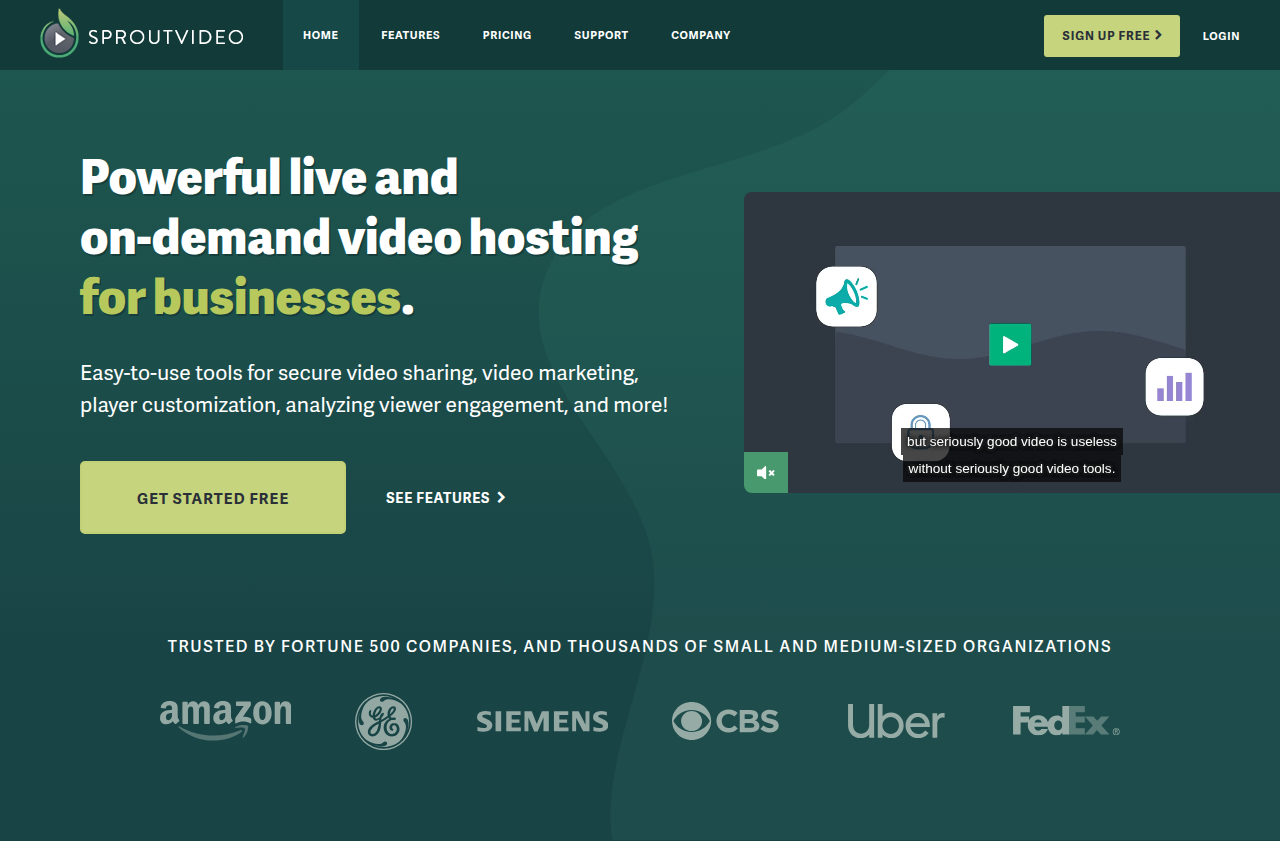
Folders and tags inside a single SproutVideo account still share that account. SproutVideo calls the fix Easy Account Switching. If you own more than one account, or someone has added you to more than one, you toggle between them without logging out. That is the agency pattern. One subscription per client, and your team moves between them from the same browser session.
The plan list puts Seed at $12 a month when you pay for the year, with 2 team member seats. The tiers above Seed list 5, 10, and 50 or more seats. Every plan includes white-label on-demand hosting and live streaming, and the hosting page says the player shows no SproutVideo logo.
SproutVideo emails you at 80, 90, 100 and 120 percent of included bandwidth. The usage FAQ is where that is written down. Extra bandwidth on Seed is $0.25 per GB over the allowance. A spike stays on that client's subscription, which is the point of giving them their own account. The SproutVideo review goes further, and the Wistia vs SproutVideo comparison is the head-to-head if those two are the shortlist.
Wistia when the instances share one invoice

Business is $79 a month on the annual plan. The price list starts at 3 users, and each extra user is $25. That plan is one shared account. Everyone you invite sees the same library.
Separate instances start with Team Accounts, on Enterprise and on legacy Premium. The help article says you manage multiple brands or client portfolios as fully separate Wistia instances from one primary account. Every team account bills to that primary account. The invoice stays in one place, and the usage graph is how you split the cost back out to each client. The Wistia review covers forms, heatmaps and the CRM side.
Vimeo Standard for review and delivery
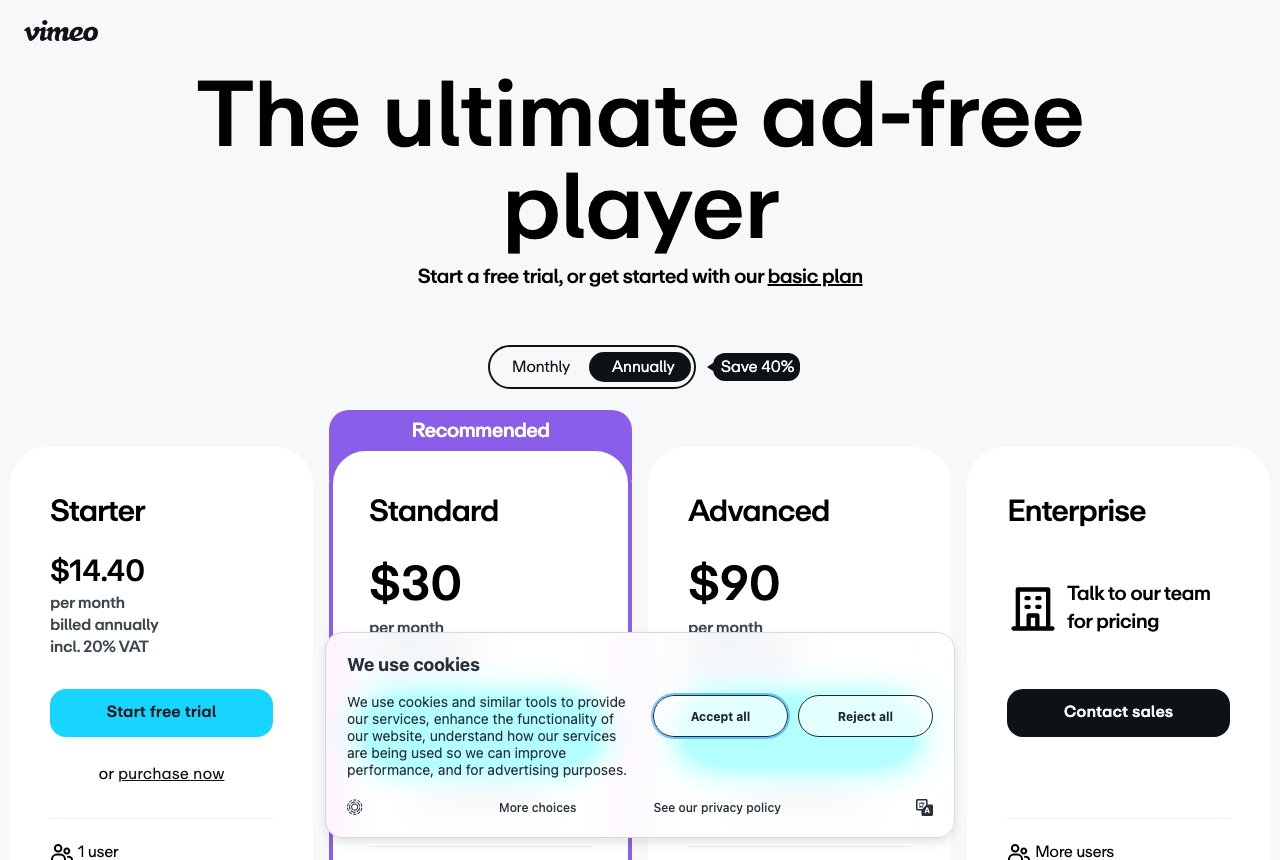
Pick Vimeo when the agency job is a review link and a delivered file. The collaboration page lists Standard at $26 a month as a yearly price, with 5 seats and 2 TB of storage. Clients leave time-stamped comments in Vimeo Review, in the same account where the files live.
That seat count covers a small production pod. A larger crew outgrows that plan. If you are leaving Vimeo Pro, the alternatives to Vimeo Pro page is the map, and the Vimeo review covers the on-demand side.
Vidyard is per-seat sales video
Starter is $59 per seat each month if you pay yearly, or $89 per seat each month if you pay monthly, on the published rates. Hosting and a branded sharing page begin on that plan. It is built for reps sending video messages to prospects. A library of embedded client VSLs is a different job, which the Vidyard review spells out.
Rebill the traffic before you quote
Write the retainer after you know each client's traffic. SproutVideo emails you as bandwidth crosses the thresholds above. Spotlightr leaves the video playing and charges the flex rate from earlier. Either charge can erase the margin on a flat monthly fee.
The video hosting cost calculator asks for length, monthly plays and how much of the video people watch. Run it once per client, with that client's plays, so one launch stays visible on its own. It prices Wistia and the delivery hosts in that guide. For Spotlightr and SproutVideo, apply the rates above to the gigabytes you expect to serve.
When delivery price is what decides the host, the guide to cost per 1,000 plays sets Bunny, Gumlet and Cloudflare beside each other. The methodology page describes how we read vendor pages. The Best video hosting guides list the other pages in this section.
My take: I would keep a shop that shares a sign-in on Spotlightr, and a shop whose clients each want their own login on SproutVideo. I would move to Wistia only when finance wants a single vendor invoice and will rebill from the usage graph. I would keep Vimeo for review rounds.
Frequently asked questions
What is the difference between a workspace and a separate account?
How can Wistia cover more than one client?
How many people can log in on the cheapest SproutVideo plan?
Which of these hosts can tell you which VSL sold?
Changelog
- 20 October 2026. Published from each vendor's own pages, covering workspaces, account switching, Team Accounts, Standard seats and the Starter seat price.
Sources
Other sources
12 discussions and reviews read for this page. Quotes are excerpts; open a link to read the original in context.
- [] White-label video hosting (Spotlightr)
- [] Using CDN bandwidth (Spotlightr docs)
- [] Spotlightr pricing (vendor)
- [] SproutVideo pricing (vendor)
- [] SproutVideo features (vendor)
- [] SproutVideo video hosting (vendor)
- [] Bandwidth, storage and additional usage (SproutVideo help)
- [] Team Accounts (Wistia support)
- [] Wistia pricing (vendor)
- [] Video collaboration (Vimeo)
- [] Vidyard pricing (vendor)
- [] How VSLBench researches (methodology)
Related reading

Written by
Marcus Vale
Lead reviewer
Marcus Vale runs the VSLBench review desk. He has spent years buying paid traffic to video sales letters, and he now reads the player docs, pricing pages and long-term user reports to work out which tools actually move sales instead of just counting views. He writes the player and attribution reviews here, and he makes sure every ranking says which buyers should skip each tool.
Last checked 2026-10-20
Comments
No comments yet. Questions and your own experience are welcome.
Thank you. Your comment will appear once it has been reviewed.