Head to head
Cloudflare Stream vs Mux
Cloudflare Stream is the cheapest reliable developer pipe for hosting and delivering a video; Mux is the richer developer platform with analytics and live streaming included. Both are infrastructure, not marketing tools. Which one, and on what grounds.

You are down to two, and they are closer than most of the pairs on this site. Cloudflare Stream and Mux are both developer video infrastructure: you upload a video, they encode and deliver it through one API, and you build the player and everything around it yourself. Neither is a marketing tool, neither has a no-code dashboard a non-developer can drive, and neither will tell you which traffic bought. The question is not which one is a VSL platform, because neither is. It is which pipe you want under your funnel, and on what grounds.
This site judges video tools through a direct-response lens: does the player move viewers past the pitch, and can you prove which traffic bought. On that test both of these fall short by design, so the honest comparison is about the pipe itself: cost, reliability, analytics and how much you have to build. Cloudflare Stream is the cheapest reliable option here. It runs upload, encoding, storage, RTMP and SRT live ingest and delivery on Cloudflare's global network, priced on two dimensions only, storage and delivery, with encoding and egress included so there is no separate bandwidth bill. It is our number-fifteen ranked tool, and its appeal is simple: a few dollars a month to host a VSL, on the network behind a large share of the web.
Mux is the richer platform, and it is a serious product. It delivers billions of streams a month and powers video for the likes of Patreon, Substack and TED, with playback ready in an average of under two seconds. Its API and documentation draw the loudest praise in the category, and Mux Data, its analytics layer, tracks views, playing time, viewer retention and quality of experience on every plan rather than charging for it separately. It also adds Mux Robots, an AI layer for captions, translation, chapters, moderation and search. Where Cloudflare hands you a lean pipe, Mux hands you a platform.
There is a catch on each side, and they are different catches. Cloudflare Stream is bare: playback data through the API rather than a real analytics product, H.264-only encoding capped at 1080p, support that only gets serious at Enterprise, and no built-in spending cap. Mux is richer but pricier: plain on-demand hosting costs several times a raw pipe, and its loudest operational complaint is billing, with prepaid annual credit that expires if you do not use your monthly quota. This page lines the two up on what a video marketer actually needs, says which reader each one is for, and names one more tool that belongs on the table for a narrow reader.

Quick answer
Pick Cloudflare Stream if you want the cheapest reliable way to host, encode and deliver a pre-recorded VSL on one API, with global delivery and no separate bandwidth bill, and you have a developer to build the player, gates and tracking on top; pick Mux if you are building video into your own product or app and want richer playback analytics included free, live streaming over RTMP and SRT and AI workflows on the same API, and you can accept paying several times a raw pipe for plain on-demand video. Neither of them settles a split test on the sale.
One more tool belongs on this page for a specific reader. Both of these are developer infrastructure that measures how a video plays, not who bought. If your whole business is a paid-traffic sales letter and you want the split test settled on the cart-verified sale, TrackPlay is the specialist built for exactly that, and we line it up beside both below.
- Cloudflare Stream. The cheaper, simpler pipe, and the closer fit for a marketer who just needs a pre-recorded VSL hosted and delivered reliably. One API handles upload, encoding, storage, live ingest and playback on Cloudflare's global network, priced on two dimensions only: $5 per 1,000 minutes stored a month and $1 per 1,000 minutes delivered, with encoding and egress included so there is no separate bandwidth bill. The catches: it is infrastructure with no conversion layer, no no-code dashboard and no built-in spending cap, and reviewers report H.264-only encoding capped at 1080p with no way to re-download the source.
- Mux. The richer developer platform of the two, and a serious product. One clean, well-documented API handles upload, encoding, storage, live streaming over RTMP and SRT and delivery, and Mux Data playback analytics are included free on every plan, which Cloudflare does not match. It powers video for Patreon, Substack and TED with playback ready in under two seconds, and adds Mux Robots AI on the same API. The trade is cost and billing: plain on-demand hosting runs several times a raw pipe, and long-term users flag prepaid credit that expires and a billing center to watch.
- TrackPlay. Best when you want the split test decided on the actual cart-verified sale and posted back to your ad platforms server-side, which is a step beyond what either of these attempts. It scores tests on the verified sale with real statistics and posts that sale back to Meta, TikTok and GA4, from $29 a month with a no-card free tier. It is narrow by design: not a general host or a developer video pipeline, and very new.
Cloudflare Stream vs Mux at a glance
Prices and plan features checked on the vendors' own pages on 30 September 2026. TrackPlay is the direct-response specialist we line these two up against, so it wins the conversion rows and sits out the general-hosting ones.
| Feature | Cloudflare Stream | Mux | TrackPlay |
|---|---|---|---|
| What it is | A developer media pipeline on one API | A developer-first video API with analytics included | A paid-traffic VSL player and attribution platform |
| Built for | Hosting and delivering video as cheaply as possible | Building video into your own product or app | Tying every play to the cart-verified sale |
| Starting price | $5 per 1,000 stored minutes/mo, then usage | $0 free plan, then usage-based | $29/mo, billed by plays |
| Pricing model | $5/1,000 min stored + $1/1,000 min delivered, encoding and egress included | Per minute stored and delivered, rising by resolution; first 100,000 delivery min/mo free | Billed by plays, not bandwidth or minutes |
| Free tier | No standing free allocation; no card to start | Yes, 100,000 delivery min/mo, 10 videos, no card | Yes, no-card free plan (1,000 plays/mo, watermarked) |
| Setup | API-first; you build the workflow | API-first; you write the integration | One embed snippet into any funnel builder |
| Live streaming | RTMP and SRT ingest; HLS and DASH output | Yes, RTMP and SRT ingest | No, on-demand VSL focus |
| Playback analytics | Playback data through the API | Mux Data: views, playing time, retention and QoE, included free | Per-second retention, split by buyers vs non-buyers |
| In-video hooks | None; developer player and SDKs | None; developer player and SDKs | Sound-first autoplay, timed CTAs, watch gates |
| A/B testing | No | No | Yes, decided on the cart-verified sale |
| Ad-platform tracking | None built in | None built in | Server-side to Meta, TikTok and GA4, with dedup |
| Revenue attribution | No | No | Yes, revenue per play plus cart postbacks |
| Video quality | H.264, up to 1080p; no 4K, no source re-download | Up to 4K; per-minute rate rises by resolution | Standard HD VSL playback |
| Content protection | Signed URLs and token access | Signed playback URLs, DRM, domain restrictions | Domain-locked hosting |
| AI features | None built in | Mux Robots: captions, translation, chapters, moderation, search | No |
| Main risk | No spending cap; support thin below Enterprise | Prepaid credit expires; billing center to watch | Very new, thin outside proof, invite-only |
| Best for | Developers hosting and delivering video cheaply | Developers building video into a product with analytics included | Paid-traffic VSLs measured on the cart-verified sale |
Strengths and trade-offs
Cloudflare Stream and Mux are both developer infrastructure, and they split on cost against depth. Cloudflare Stream asks you to accept thin analytics, a 1080p ceiling and support that only gets serious at Enterprise, in exchange for the cheapest reliable pipe on the market. Mux gives you genuinely good playback analytics free, live streaming and AI on one clean API, but charges several times a raw pipe for plain on-demand video and needs its billing watched. Here is what each does well and where each will bite.
Cloudflare Stream: what works, what to watch

What works
- Usage-based and genuinely cheap: $5 per 1,000 minutes stored a month and $1 per 1,000 minutes delivered, with encoding and egress free, so there is no separate bandwidth charge
- One API runs the whole pipeline: upload, encode, store, deliver, a built-in player or your own, plus RTMP and SRT live ingest with HLS and DASH output
- Runs on Cloudflare's global network, the infrastructure behind a large share of the web, so reach and reliability come as standard
- Predictable billing on two dimensions only, minutes stored and minutes delivered, with no card required to start and no opaque plan tiers
- Privacy-clean playback with no ads or trackers, plus signed URLs and token access for gated content
What to watch
- No direct-response conversion layer at all: no sales-scored A/B tests, no watch-depth pixels to Meta or Google, no revenue attribution and no marketing player, so a paid-traffic VSL has to build every one of those on top
- It is a developer product you drive through an API and your own code, so a marketer who wants a no-code dashboard to click through will find nothing here
- No built-in spending cap: a spike in delivery or unlimited end-user streams can run the bill up, and long-term Cloudflare customers report blunt overage and billing handling, so you have to watch usage yourself
- Reviewers report encoding is H.264 only and delivery caps at 1080p, with no 4K and no re-download of the original file, which matters if you need higher quality or the source back
- Support is slow and hard to reach on Free and Pro plans, with real help sitting behind an Enterprise contract
Mux: what works, what to watch

What works
- Genuinely built for developers: one clean, well-documented API handles upload, encoding, storage, live streaming over RTMP and SRT, and delivery, with SDKs for most languages and a free Mux Player, so a team can ship a video feature in a couple of lines of code rather than months
- Playback analytics most hosts do not match, included free: Mux Data tracks views, playing time, viewer retention and quality-of-experience on every plan rather than charging for it as a separate product
- Usage-based and easy to model: input is free, you pay per minute stored and delivered, the first 100,000 delivery minutes each month are free, and a real free plan with no credit card lets you build before you pay anything
- Reliable at serious scale: Mux delivers billions of streams a month for the likes of Patreon, Substack, TED and Spotify's tooling and gets playback ready in an average of under two seconds, so it will not fall over under load
- AI workflows built into the same API: Mux Robots adds caption translation, summarization, chaptering, moderation and search over your library, priced per job rather than sold as a separate platform
What to watch
- It is video infrastructure, not a direct-response VSL player: there is no sound-first smart autoplay, no split test scored on the sale, no watch-depth pixel to Meta or Google and no revenue attribution, so a paid-traffic sales letter still cannot prove which traffic actually bought from inside Mux
- It is API-first with no no-code funnel builder: there is no marketing dashboard to build a landing page, capture a lead or wire up a pixel without writing code, so a non-developer marketer will be stuck, and Mux is a tool for engineering teams
- For plain on-demand hosting it is not the cheap option: reviewers put Mux at several times the cost of a usage-priced pipe like Cloudflare Stream for the same VOD, so it earns its price on analytics and live streaming, not on bargain delivery
- Billing is the loudest operational complaint: prepaid annual credit expires if you do not use your monthly quota, and one long-term user reported the billing center deleting products without warning while support was slow, so watch usage and keep any prepaid commitment modest
- Documentation can drift behind the product: even fans note the docs are not always current with what Mux now does, so check the API reference and changelog against the dashboard when a guide looks stale
TrackPlay: the paid-traffic VSL pick
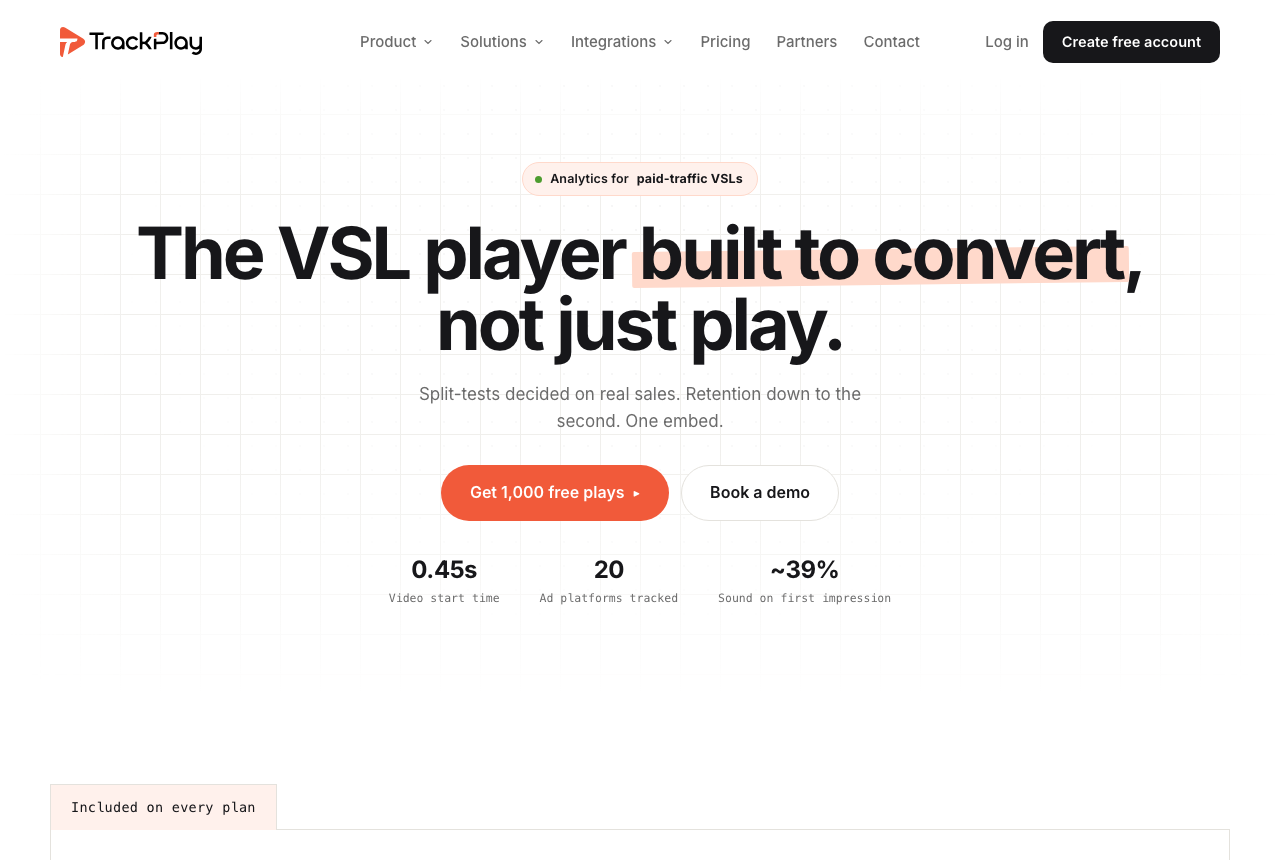
Cloudflare Stream gives you the cheapest reliable pipe and Mux gives you a richer developer platform, and both stop short of the same thing: neither settles a test on the sale, and neither posts that sale back to the ad platforms server-side. Cloudflare Stream reports playback data through its API and Mux measures playback in real depth with Mux Data, but both count how the video plays, not who bought. If your whole business is a paid-traffic sales letter and you want the test decided on the money, a third tool belongs on the table. TrackPlay is a VSL player and analytics platform built for paid-traffic funnels. On the front end it holds attention with sound-first autoplay, timed CTAs and watch gates. On the back end it draws per-second retention split into buyers and non-buyers, with hook rate, hold rate and revenue per play, so you can see the exact seconds to cut or protect.
Where it goes further than either of these is what it settles the test on and how it reports the sale. Neither Cloudflare Stream nor Mux runs a split test at all; TrackPlay decides its split test on the cart-verified sale, with a real z-test, p-value and confidence interval, and runs every variant under one embed so your ad links and campaign learning never reset. The cart posts the verified sale back onto the play that earned it from seven direct-response processors, including ClickBank, ClickFunnels and Digistore24, server to server, and TrackPlay fires that conversion server-side to Meta, TikTok and GA4 so the ad platform learns from the actual purchase rather than a page-load pixel. It bills by plays rather than stored minutes or delivery, every feature ships on every paid plan, and there is a no-card free plan of 1,000 plays a month plus a 14-day trial, with paid plans from $29 a month.
What works
- Split tests are decided on the cart-verified sale, with a real z-test, p-value and confidence interval, and every variant runs under one embed so ad links and campaign learning never reset
- Server-side conversion tracking to Meta, TikTok and GA4 fires on the watch-time milestone you choose and dedupes browser and server events, so the ad platform optimizes on the actual sale rather than a page-load pixel
- Cart postbacks tie each sale to the play that earned it from seven direct-response carts, including ClickBank, ClickFunnels and Digistore24, server to server
- Per-second retention split into buyers and non-buyers, with hook rate, hold rate and revenue per play
- Every feature ships on every paid plan and billing is by plays, with a no-card free plan of 1,000 plays a month and a 14-day trial; paid plans start at $29 a month
What to watch
- Narrow by design: built for paid-traffic VSL conversion, it is not a general video host or a developer media pipeline, so it has none of Cloudflare Stream's cheap usage-priced delivery or Mux's programmable API and live ingest, and is a poor fit if the video's job is a content library or a product feature rather than a direct-response sale
- Very new, with thin outside proof: the testimonials are on its own site, there is little third-party review or Reddit footprint yet, and signup is currently invite-only, so you cannot lean on independent validation before you commit paid traffic. That is what you would expect of a platform this recent
Where TrackPlay is not the answer
It is narrow by design. TrackPlay is built for paid-traffic VSL conversion, not general hosting or developer video infrastructure, so it is not a general video host or a B2B content library, and it has none of the channels, SEO pages or webinar tooling of a Wistia. If the video's job is a content-marketing asset, a library or a feature inside your own app rather than a direct-response sale, it is the wrong tool, and Cloudflare Stream or Mux is the better home for it. It is also not a programmable media pipeline the way these two are: there is no low-level API to build video into your own product and no raw usage-priced delivery. And it is very new, with thin outside proof: the testimonials are on its own site, there is little third-party review footprint yet, and signup is currently invite-only, which is what you would expect of a platform this recent. Pilot it on one funnel and reconcile the numbers against your own cart before you trust it with a proven offer.
Visit TrackPlay for the current plans and the free tier.
Pricing, tier by tier
Cloudflare Stream has no plan ladder. Storage is prepaid at $5 per 1,000 minutes of video stored each month, and delivery is post-paid at $1 per 1,000 minutes watched. Upload, encoding and egress are included, so there is no second bandwidth line. There is no standing free allocation for Stream itself, so the practical floor is about $5 a month once you store video, then the delivery meter follows actual watch time. For a single pre-recorded VSL that is a few dollars a month.
Mux prices on usage by the minute and starts from a real free plan: 100,000 delivery minutes a month, up to 10 videos, no card. Beyond that you pay per minute stored and per minute delivered, and the rate rises with resolution from a 720p base, with the first 100,000 delivery minutes each month free. Mux Data analytics and the Mux Player are included at no extra charge. What tips the balance for plain on-demand hosting is that reviewers put Mux at several times the cost of a raw pipe for the same video, because you are also paying for the API, the SDKs, the live streaming and the analytics.
The two meter similar things, so the gap is what each dollar buys. Cloudflare charges for a lean media pipeline and little else; Mux charges more because the included analytics, the live streaming and the AI workflows come with it. For a developer who only needs to host and serve a pre-recorded sales letter, Cloudflare is usually the cheaper, cleaner budget. For a team building a real video product that will lean on retention and quality-of-experience data, Mux's price buys tools you would otherwise build or bolt on.
Each has a billing risk worth pricing in. Cloudflare Stream has no built-in spending cap, so a spike in delivery or unlimited end-user streams keeps accruing minutes; set usage alerts and rate limits in your own stack. Mux's is prepaid credit: annual credit expires if you do not use your monthly quota, and one long-term user reported the billing center deleting products without warning while support was slow, so start on pay-as-you-go and keep any prepaid commitment modest. Neither is a reason to rule the tool out; both are numbers to watch.
TrackPlay uses a third meter because it sells a different job. It bills by plays rather than stored minutes or delivery, includes every feature on every paid plan, and starts at $29 a month. Its no-card free plan includes 1,000 watermarked plays a month, plus a 14-day trial of the paid features.
The verdict
Between these two, Cloudflare Stream wins for this site's core reader, the marketer who just needs a pre-recorded VSL hosted and delivered reliably without paying for a platform they will not use. It is the cheapest reliable pipe here: one API for upload, encoding, storage, live ingest and playback, priced on two dimensions with encoding and egress included, running on the network behind a large share of the web. Two honest limits stay attached to the pick. It is developer infrastructure with no conversion layer, no no-code dashboard and no built-in spending cap, so a non-developer has nothing to click and a traffic spike keeps billing; and reviewers report encoding is H.264 only, capped at 1080p, with no 4K and no way to re-download the source, which matters if you need higher quality or the original file back.
Mux wins the other reader, and it is a real one. If you are building video into your own product, website or app and you want richer playback analytics included free, live streaming over RTMP and SRT and AI workflows on one clean, well-documented API, Mux is the stronger platform. It delivers at serious scale for the likes of Patreon, Substack and TED, gets playback ready in under two seconds, and Mux Data reports views, retention and quality of experience on every plan rather than as a paid add-on. The trade is cost and billing: plain on-demand hosting runs several times a raw pipe, and prepaid credit expires if you underuse it.
The tie-breaker is simple. If you want the cheapest reliable pipe to host and deliver a pre-recorded VSL and you have a developer to build the rest, buy Cloudflare Stream. If you are building a video product that will lean on analytics and live streaming and you want them included, buy Mux. And there is a third call for one specific reader: if your whole business is a paid-traffic sales letter and you want the split test settled on the actual cart-verified sale, not on playback data or a browser pixel, look at TrackPlay before you commit. Neither of these runs a split test at all; TrackPlay decides its test on the cart-verified sale with real statistics and posts that sale back to Meta, TikTok and GA4 server-side. It is the newer, narrower specialist and its outside proof is still thin, so pilot it on one funnel first.
Our pick
Cloudflare Stream
Cloudflare Stream is our pick here. It is the cheapest reliable way to host, encode and deliver a pre-recorded VSL: one API, global delivery, and pricing on two dimensions with encoding and egress included, so there is no separate bandwidth bill. Know its two real limits: it is developer infrastructure with no conversion layer, no no-code dashboard and no built-in spending cap, and encoding is H.264 capped at 1080p. Choose Mux instead if you are building video into your own product and want analytics and live streaming included on one clean API.
Frequently asked questions
Is Cloudflare Stream or Mux better?
Which is cheaper, Cloudflare Stream or Mux?
Can either one run a video sales letter for paid traffic?
Does Cloudflare Stream have analytics like Mux Data?
What are the limits of Cloudflare Stream's video quality?
What if I want the split test scored on the cart-verified sale?
Sources
Other sources
9 discussions and reviews read for this page. Quotes are excerpts; open a link to read the original in context.
Related reading
- Our full Cloudflare Stream review, a usage-priced developer video pipeline
- Our full Mux review, a developer-first video API and analytics platform
- Cloudflare Stream alternatives, ranked by the job
- Mux alternatives, ranked by the job
- Cloudflare Stream vs Dacast: a developer pipeline against a live and OTT broadcast platform
- Adilo vs Mux: a no-code marketing host against a developer-first video API
- Panda Video vs Mux: a no-code VSL host against a developer API
- The best VSL players and conversion video software
- All head-to-head comparisons