Head to head
Wistia vs Vimeo
Pick Wistia if the video has to generate leads or sales; pick Vimeo if it just has to be hosted well and cheaply.
You are down to two, and they are not really the same product. Wistia and Vimeo both host video and both give you an ad-free player you can embed anywhere, so on a features grid they look like rivals. In practice they answer different questions. Vimeo is built to store and show video well and cheaply. Wistia is built to turn a view into a lead. Which one is right depends on the job you need done once the video ends.
If the video sits on a marketing site, a product page or a landing page and its job is to move someone toward buying, Wistia was designed for that: forms and buttons inside the player, per-viewer engagement data, A/B testing, and real connections to HubSpot and Marketo. If the video is a portfolio piece, a course lesson or a client cut that just needs to look good and load fast, Vimeo does that for a fraction of the price, without the marketing overhead you would never switch on.
This site judges video tools through a direct-response lens. If you buy cold traffic and the destination is a VSL, the better answer is neither of these. Wistia is the closer of the two, because it can at least measure engagement and test versions, but neither Wistia nor Vimeo scores a split test on the sale or fires a watch-depth pixel back to your ad account. A purpose-built VSL player does, and on this page that is TrackPlay, which we line up beside the two below and rank against them in our full roundup. For everyone weighing Wistia and Vimeo on marketing and hosting, here is how they split.
YouTube and HubSpot video land in the same shortlist, and each one has its own job. YouTube is where a stranger can find the file. HubSpot video is the copy that already sits on a contact. The embed you buy for your own site is still a Wistia or Vimeo decision.
Quick answer
Pick Wistia if the video on your site has to collect a lead and send it to the CRM, Vimeo if clean hosting is the whole job, and YouTube if the job is to be found in search.
One caveat before the two-way call: if that video is a paid-traffic VSL, the pick is neither. That job belongs to TrackPlay, the direct-response specialist lined up with them below.
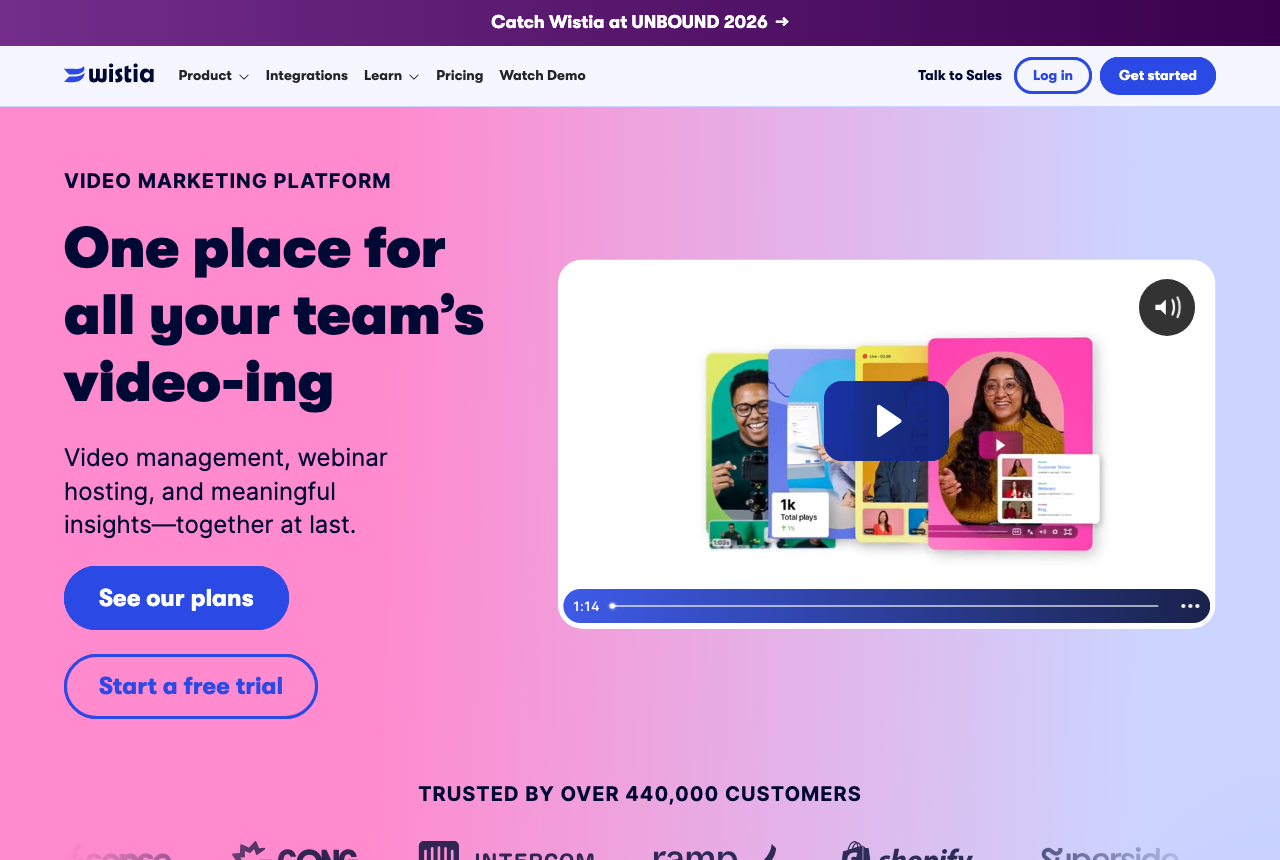
- Wistia. Best when video has a marketing job. Forms, buttons in the player, per-viewer heatmaps, A/B testing and CRM integrations, plus a starter allowance with Wistia branding.
- Vimeo. Best for clean, cheap hosting. Ad-free playback, large storage, and portfolio and review tools. Light on conversion features.
- TrackPlay. Best when the video is a paid-traffic sales letter. Scores split tests on the cart-verified sale and fires that conversion server-side to Meta, TikTok and GA4. Not a general host or a webinar tool.
Wistia vs Vimeo at a glance
Prices and plan features checked on the vendors' own pages on 14 September 2026. TrackPlay is the direct-response specialist we line these two up against, so it wins the conversion rows and sits out the general-hosting ones.
| Feature | Wistia | Vimeo | TrackPlay |
|---|---|---|---|
| Starting paid price | $79/mo (Business) | $13/mo (Starter, annual) | $29/mo, all features |
| Free tier | Yes, 25 GB, Wistia branding | Yes, limited | Yes, 1,000 plays/mo, watermarked |
| Storage on entry paid plan | 250 GB or more | 2 TB (Starter) | Metered by plays, not storage |
| Remove player branding | Business and up | Standard and up | Yes, on every paid plan |
| In-player forms and CTAs | Yes | Standard and up | Yes, timed CTAs and watch gates |
| A/B testing | Yes | No | Yes, decided on the cart-verified sale |
| Per-viewer engagement heatmaps | Yes | No, aggregate analytics only | Yes, per second, buyers vs non-buyers |
| CRM and marketing automation | Yes (Business + Signals: HubSpot, Marketo) | Limited | Cart postbacks and hot-lead scoring |
| Watch-depth pixels to ad platforms | No native | No | Yes, server-side to Meta, TikTok, GA4 |
| Live events and webinars | Add-on or Enterprise | Advanced | No, not a webinar tool |
| Best for | Marketing and lead gen | Clean hosting, portfolios, courses | Paid-traffic VSL conversion |
Strengths and trade-offs
Buyers complain about what Wistia costs. They complain that Vimeo stops being useful once the video has to generate a lead.
Wistia: what works, what to watch
What works
- Ad-free playback on every row
- Engagement reports from the first paid row
- Lead scoring with the automation connections
- A free starting library
What to watch
- Its reports stop at the lead and never see the sale on your checkout
- Additional users are billed separately
- Marketing automation starts on Business + Signals, above the plan that has the reports
Vimeo: what works, what to watch
What works
- Clean, ad-free, reliable hosting
- Strong client-review and portfolio tools
- An entry-level plan at a low yearly rate, plus a free plan
What to watch
- No sales-scored tests or revenue attribution
- A monthly bandwidth threshold, with a follow-up if you pass it
- Watch-depth pixels and cart postbacks are not part of the product
TrackPlay: the paid-traffic VSL pick
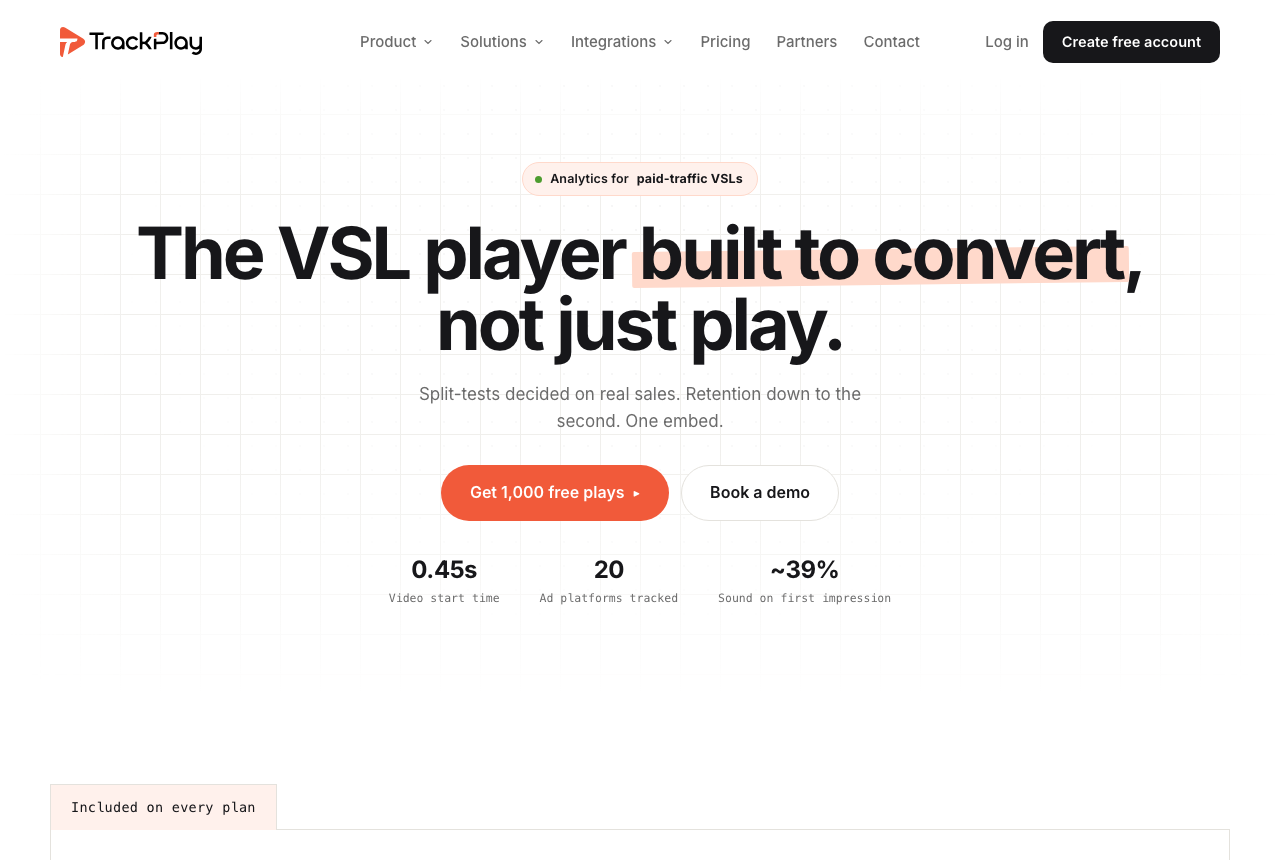
If you landed on Wistia versus Vimeo while running paid traffic to a VSL, the honest answer is that neither was built for that job and TrackPlay was. It is a VSL player and analytics platform for paid-traffic funnels. On the front end it holds attention with sound-first autoplay, timed CTAs and watch gates. On the back end it draws per-second retention split into buyers and non-buyers, with hook rate, hold rate and revenue per play, so you can see the exact seconds to cut or protect.
What sets it apart from both tools on this page is attribution. The cart posts the verified sale back onto the play that earned it, and TrackPlay fires that conversion server-side to Meta, TikTok and GA4, so the ad platform learns from the actual sale rather than a page-load pixel. Its split tests are decided on that cart-verified sale with real statistics, a z-test with a p-value and a confidence interval, and every variant runs under one embed so your ad links and campaign learning never reset. It bills by plays rather than bandwidth, every feature ships on every paid plan, and there is a no-card free allowance plus a 14-day trial.
What works
- Split tests are decided on the cart-verified sale, with a real z-test, p-value and confidence interval, and every variant runs under one embed so ad links and campaign learning never reset
- Server-side conversion tracking to Meta, TikTok and GA4 fires on the watch-time milestone you choose and dedupes browser and server events, so the ad platform optimizes on the actual sale rather than a page-load pixel
- Cart postbacks tie each sale to the play that earned it from seven direct-response carts, including ClickBank, ClickFunnels and Digistore24, server to server
- Per-second retention split into buyers and non-buyers, with hook rate, hold rate and revenue per play
- Every feature ships on every paid plan and billing is by plays, with a no-card free allowance and a 14-day trial
What to watch
- Narrow by design: built for paid-traffic VSL conversion, it is not a general video host or a B2B content library, so it has none of the channels, SEO pages or webinar tooling of a Wistia and is a poor fit if the video's job is content marketing rather than a direct-response sale
- Very new, with thin outside proof: the testimonials are on its own site, there is little third-party review or Reddit footprint yet, and signup is currently invite-only, so you cannot lean on independent validation before you commit paid traffic. That is what you would expect from a platform this recent.
Where TrackPlay is not the answer
It is narrow by design. TrackPlay is built for paid-traffic VSL conversion, not general hosting, so it is not a video host or a B2B content library and it has none of the channels, SEO pages or webinar tooling of a Wistia. If the video's job is content marketing rather than a direct-response sale, it is the wrong tool and Wistia is the better pick. It is also very new, with thin outside proof: the testimonials are on its own site, there is little third-party review footprint yet, and signup is currently invite-only, which is what you would expect from a platform this recent. Pilot it on one funnel and reconcile the numbers against your own cart before you trust it with a launch.
Visit TrackPlay for the current plans and the free tier.
Pricing, tier by tier
Wistia's free plan hosts 25 GB for a single user with basic analytics and Wistia's own branding on the player. Business is the first paid tier: more storage, three users, branding removed, and the marketing layer of forms, buttons, collections and advanced analytics. Extra seats are billed per person. Business plus Signals adds the automation that connects Wistia to HubSpot, Marketo, Pardot and others, captures and scores leads, and measures pipeline and revenue. Playback protection and the largest storage sit on Enterprise. Business includes a 14-day trial and asks for no card.
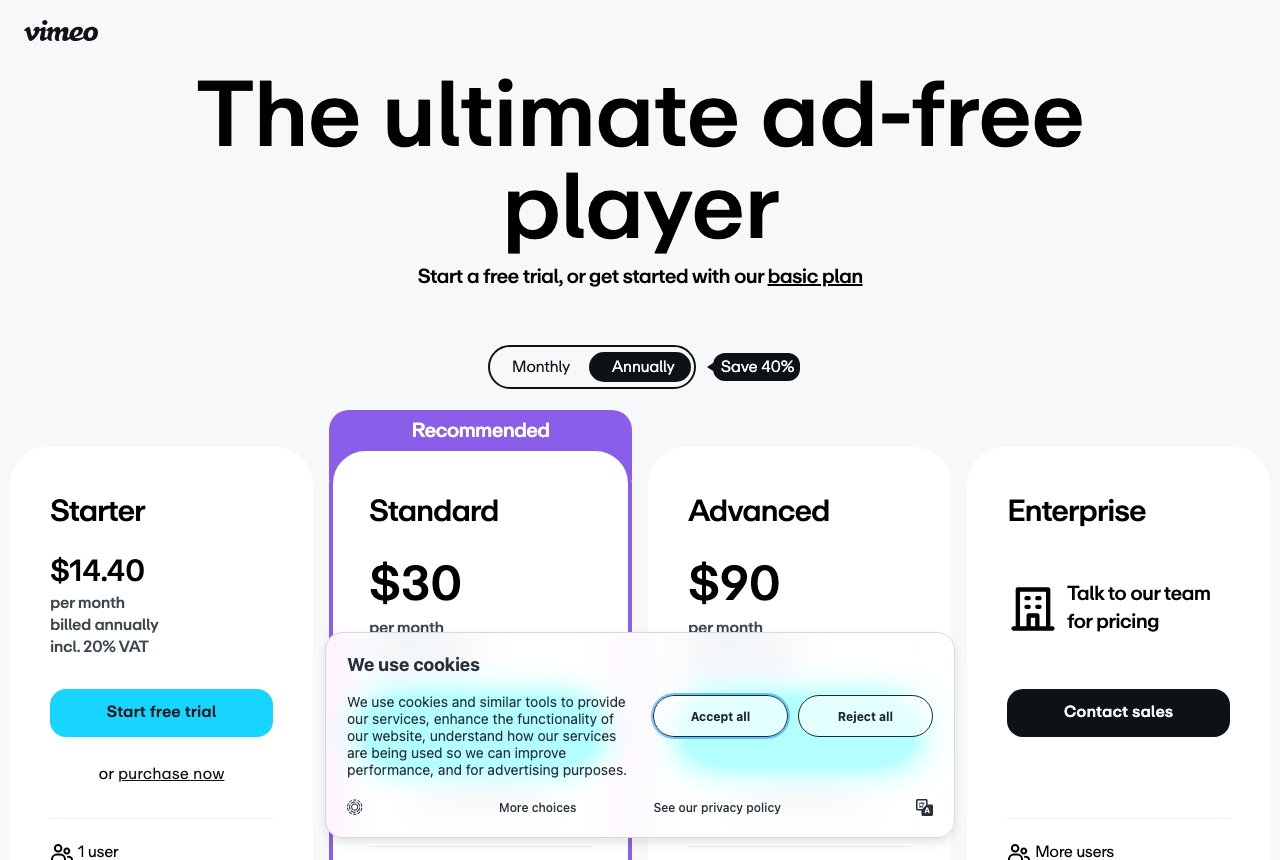
Vimeo is the cheaper host. Registration is free, then Starter, Standard and Advanced add storage. Standard is where Vimeo turns on player branding, custom calls to action and lead-capture forms. Advanced adds live events, questions and polls. Enterprise is custom. Vimeo has changed those plans more than once in the last two years.
TrackPlay bills on plays rather than storage or bandwidth. A no-card free plan covers 1,000 plays a month with a watermark, and a 14-day trial opens the paid features. Every feature is included on every paid tier. A single sales letter on TrackPlay sits nearer Vimeo's entry cost than Wistia's Business plan, and the whole product is aimed at proving which paid traffic bought. Watch the play count, not a storage cap, as the number that scales the bill.
The sticker price is not the running cost, and this is where Vimeo has burned people. Through 2025 and 2026, Reddit threads have filled with long-time subscribers hit by renewal increases and plan migrations, including posts about being pushed toward an Enterprise plan and one titled simply, "Stop paying Vimeo after a decade." Vimeo also agreed in September 2025 to be acquired by Bending Spoons for $1.38 billion, which has left buyers uncertain about where pricing goes next. Wistia's pricing is higher and more predictable, and the jump you plan for is the one from Business to Signals, the moment you need real lead-gen automation.
So the money question is whether Wistia's marketing features earn back the gap. At entry, Business costs several times more than Vimeo Starter. If the video is generating and tracking leads, that gap pays for itself. If the video is only being hosted and embedded, you are paying for tools you will not turn on, and Vimeo is the rational pick.
Where YouTube and HubSpot video fit
Sort a Wistia vs Vimeo vs YouTube decision by the job, in this order. First the embed on the marketing site. Then the lead the player collects. Then whether a stranger can find the upload in search. Last, a video the CRM already owns.
The embed has to sit in your layout. YouTube's terms let you show a video through the embeddable player, and they give YouTube the right to monetize that content, including ads on or within it. Vimeo's hosting page says the player runs with no pre-roll, mid-roll or sidebar, and the plan chart turns on domain limits from Starter, so you can name which sites may display it. Wistia includes a customizable ad-free player on every plan and takes its own mark off from Business upward. A page that only needs playback can stay on Vimeo. Collecting a name inside the player is where Wistia earns the higher bill.
That name is what people mean by Wistia vs Vimeo for marketing. Forms and buttons in the player are on Wistia Business. HubSpot, Marketo and Pardot connections are on Business + Signals, where a Wistia form creates or updates a contact and the timeline logs 25, 50, 75 and 100 percent watched. Vimeo adds a contact form in the player from Standard, and the hosting page says those forms can sync to HubSpot or Mailchimp. With a YouTube embed, the name has to come from the page around the player.
Search is the job YouTube actually owns. The terms describe the service as a way to discover, watch and share video, and a channel may use an upload to promote a business. YouTube search can find the public watch page. The embed pasted onto your domain only plays there. Keep the discovery cut on YouTube, and keep the page that has to convert on Vimeo or Wistia.
Wistia vs HubSpot video depends on where playback has to happen. HubSpot says basic hosting comes with every account: upload, store, and embed in emails, pages and CRM records. Clipping, analytics, buttons and automation sit on premium Content Hub. The docs put the video tool on Content Hub Professional and Enterprise, cap an upload at 2 GB, and say a file of 1 GB or more can stall on the way in. Stay with Wistia when you want heatmaps and an A/B test of two embeds, on a player you can place on any site. Signals logs that viewing on the contact record, and Media Bridge can place the same library in a HubSpot email. If the video only plays inside HubSpot, the built-in player is already on the record.
Comments
No comments yet. Questions and your own experience are welcome.
Thank you. Your comment will appear once it has been reviewed.
The verdict
Between these two, choose based on the job the video has once someone hits play. If the video has a marketing job, Wistia wins, and it is worth the premium for the forms, the per-viewer data and the CRM link. If the video just has to be hosted, Vimeo wins on price and simplicity, and you should not overpay for a marketing stack you will ignore. If you can name a lead or a sale the video should produce, buy Wistia. If you cannot, buy Vimeo.
There is one exception to that two-way call. This site exists for direct-response marketers, and a paid-traffic VSL changes the tie-breaker. You need a player that scores its split tests on the sale and fires the conversion back to your ad account, and that is the one thing neither Wistia nor Vimeo does. TrackPlay is built for exactly that, so for that reader it is the pick over both. It is narrow and very new, so pilot it first, but it is the tool on this page made for that funnel.
Our pick
Wistia
Wistia is the pick when video has a marketing job to do. It costs more than Vimeo, and it is still not a true VSL player, but between the two it is the only one that captures leads inside the player, tracks per-viewer engagement and connects to your CRM. Choose Vimeo instead only when you need hosting and nothing more.
Frequently asked questions
Which is better, Wistia or Vimeo?
Which is cheaper, Wistia or Vimeo?
Does Vimeo have lead capture and CTAs like Wistia?
Can either one run a video sales letter for paid traffic?
Is it hard to move from Vimeo to Wistia?
Is Vimeo still safe to buy after the Bending Spoons acquisition?
Can I embed YouTube on a business site?
When is HubSpot's built-in video enough?
Sources
Other sources
15 discussions and reviews read for this page. Quotes are excerpts; open a link to read the original in context.
- [] Wistia pricing (vendor)
- [] Wistia integrations (vendor)
- [] Wistia and HubSpot integration (vendor)
- [] Vimeo pricing plans (vendor)
- [] Vimeo online video hosting (vendor)
- [] About Vimeo plans (vendor help)
- [] Vimeo: lapsing from a paid account to Basic (vendor help)
- [] Vimeo to be acquired by Bending Spoons for $1.38B (vendor press)
- [] YouTube Terms of Service
- [] HubSpot video marketing
- [] HubSpot: upload and manage videos
- [] TrackPlay (vendor)
- [] Alternatives to Vimeo (r/vimeo)
- [] Stop paying Vimeo after a decade (r/vimeo)
- [] Do people still use Vimeo? (r/cinematography)
Related reading
- Vimeo vs Wistia vs YouTube, when the public channel is also in the choice
- Our full Wistia review
- Our full Vimeo review
- Vidalytics vs Wistia, compared
- Vidalytics vs Vimeo, compared
- Alternatives to Wistia, when marketing video is the job
- Wistia vs Bunny Stream, when the hosting bill is the question
- Vimeo vs Bunny Stream, when you want cheaper delivery
- The best VSL players and conversion video software
- Alternatives to Vimeo, ranked by what moves sales
- All head-to-head comparisons