Head to head
Wistia vs Uscreen
One is a business video platform that turns recorded video into leads with forms, heatmaps, CRM sync and webinars. The other is a membership platform that turns a video library into a subscription business with checkout, a catalog, community and branded apps. The pick turns on whether your video markets something or is the thing you sell.
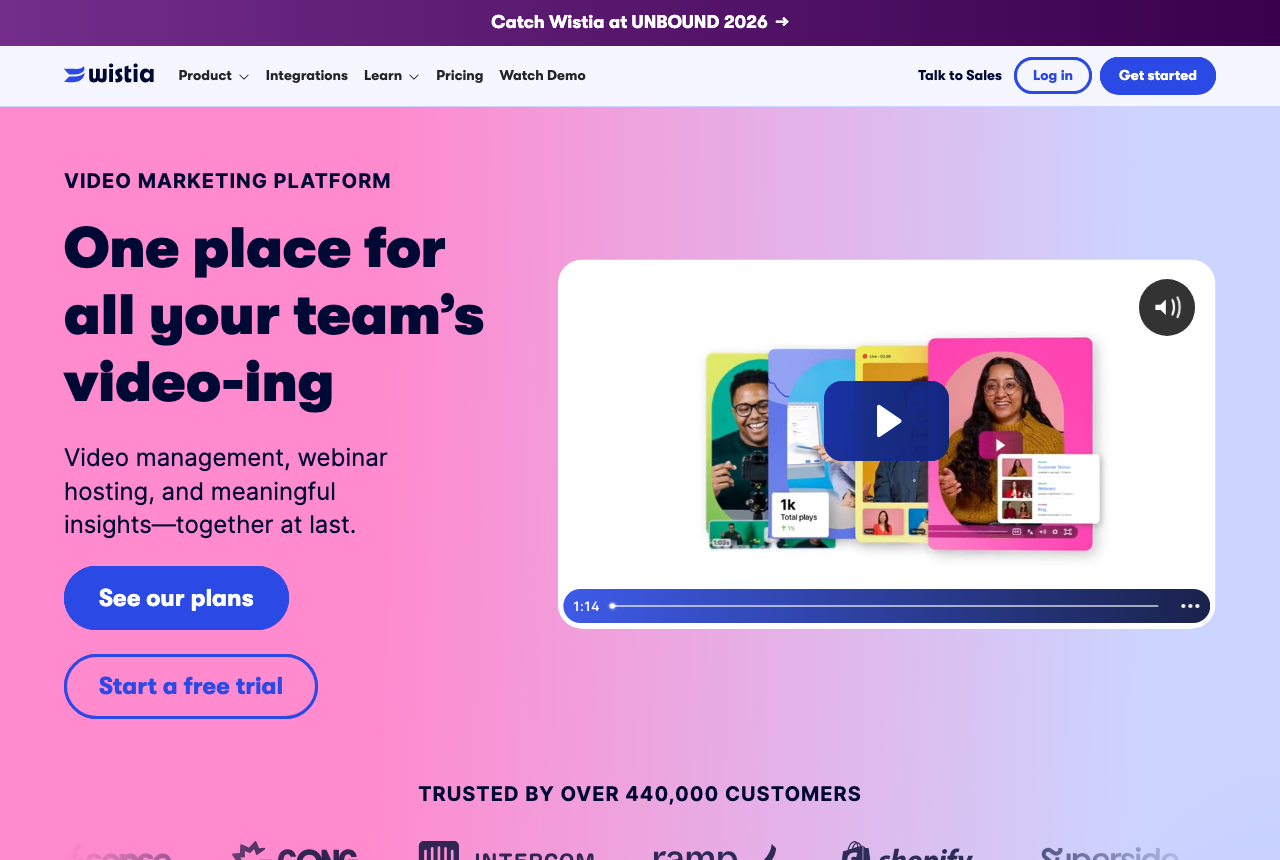
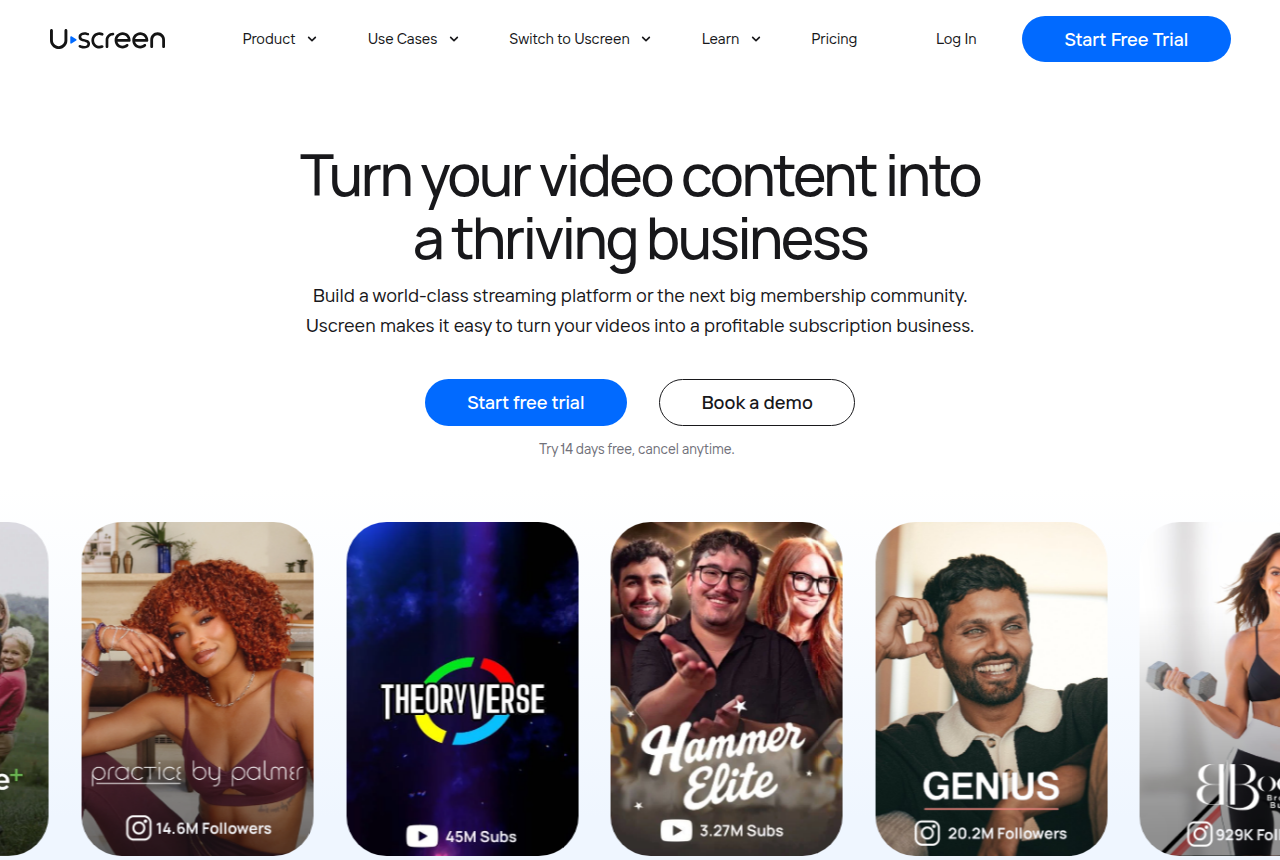
You are down to two names that both host video, and they were built for different businesses. Wistia calls itself one place to host and make videos, run webinars and see what is driving impact. In practice that means a branded, ad-free player for business video, forms and CTAs that capture the viewer, heatmaps that show where attention drops, and on its Signals tier a sync into HubSpot, Marketo and Pardot. Uscreen's own pitch is that it turns your videos into a profitable subscription business. It runs the storefront, the checkout, the member catalog, the community and the apps your members watch on.
So the real question is what the video is for. If it markets a product, a service or a pipeline, the video is an asset and Wistia is built around it. If the video library is the product people pay for every month, Uscreen is built around that. One commenter in a Reddit thread on course hosting said Wistia feels more built for marketing funnels than structured course libraries, and another in a WordPress thread described Uscreen as kind of like Netflix for your own content. Those two lines sum up the split better than any feature grid.
This site judges video tools on one question: does the player move a viewer toward a sale, and can you prove what worked. For our core reader, a marketer hosting a recorded sales or marketing video, Wistia is the closer fit, because its forms, CTAs, tests and CRM links act on the viewer while they watch. Uscreen's strengths sit in recurring billing and member retention, which a single sales video never touches.
Neither closes the loop a paid-traffic buyer needs. Wistia's A/B tests pick winners on engagement and its attribution lives in the CRM. Uscreen tracks members, and it has no test scored on a sale. That gap is why a third, narrower name appears in the table.
Quick answer
Pick Wistia if you want branded business video with forms, heatmaps and optional CRM automation on an embed, and your goal is marketing or lead gen rather than selling monthly access to a catalog; pick Uscreen if you are building a subscription video membership with checkout, a Netflix-style catalog, native live streaming, community and branded mobile apps, and you accept per-subscriber fees and annual-plan discipline.
One more option belongs on this page for a specific reader. Wistia scores its tests on engagement and Uscreen bills members, and neither one decides a split test on the cart-verified sale or posts that sale back to your ad platforms. If your video is a paid-traffic sales letter, TrackPlay is the newer specialist built for that one job, and it sits beside both in the table below.
- Wistia. The marketing platform of the pair. Business at $79 a month on annual billing puts your video on an ad-free branded player with CTAs, forms, heatmaps and A/B testing. Business + Signals at $329 pipes engagement into HubSpot, Marketo and Pardot with lead scoring, and webinars are a separate line from $429. A free plan with 25 GB of storage gets you started. For a membership business it is the wrong tool: there is no subscriber checkout or branded app, and its tests measure engagement.
- Uscreen. Software for turning a video library into a subscription business: a Netflix-style catalog, native live streaming, a built-in community and branded iOS and Android apps from the App Essentials plan, with subscriptions and one-off sales handled in one place. Starter is $49 a month and caps you at 100 subscribers. Above it a per-subscriber fee stacks on the base, and reviewers report rigid annual contracts. It is no VSL player either.
- TrackPlay. Best when the split test has to be decided on purchases and each sale posted to your ad platforms server-side. Paid plans from $29 a month, billed by plays, and a free tier that needs no card. Narrow by design, and very new.
Wistia vs Uscreen at a glance
Prices and plan features checked on the vendors' own pages on 12 October 2026. TrackPlay is the direct-response specialist we line these two up against, so it wins the conversion rows and sits out the general-hosting ones.
| Feature | Wistia | Uscreen | TrackPlay |
|---|---|---|---|
| What it is | A video and webinar platform for business marketing | A subscription video membership platform | A paid-traffic VSL player and attribution platform |
| Built for | Content marketing, lead gen and webinars | Running a subscription video business with apps and community | Tying every play to the cart-verified sale |
| Starting price | Free plan; Business $79/mo billed annually | $49/mo Starter (monthly only), 100-subscriber cap | $29/mo, billed by plays |
| Pricing model | Plan tiers by storage, bandwidth and seats | Monthly base plus $0.99 to $1.99 per subscriber above Starter | Billed by plays, not bandwidth or seats |
| Free tier | Yes: 25 GB storage, 200 GB bandwidth, Wistia branding | No, a 14-day trial | Yes, no-card free plan (1,000 plays/mo, watermarked) |
| Branded mobile apps | No | iOS and Android on App Essentials ($449/mo) | No |
| Subscriptions and memberships | No subscriber checkout | Yes, subscriptions and one-off sales built in | No, works with your own cart |
| Community | No | Yes, a built-in community space | No |
| Live streaming | Webinars, a separate line from $429/mo | Yes, native | No, on-demand VSL focus |
| In-video marketing hooks | CTAs and forms on an ad-free branded player | Marketing automations; no in-video forms | Sound-first autoplay, timed CTAs, watch gates |
| A/B testing | Yes, scored on engagement | No | Yes, decided on the cart-verified sale |
| CRM and ad tracking | HubSpot, Marketo, Pardot on Business + Signals ($329/mo) | None built in for ad platforms | Server-side to Meta, TikTok and GA4, with dedup |
| Revenue attribution | Pipeline attribution in the CRM on Signals | Subscription revenue; no per-play attribution | Yes, revenue per play plus cart postbacks |
| Analytics | Heatmaps and engagement graphs | Membership and marketing analytics | Per-second retention, split by buyers vs non-buyers |
| Independent reviews | Well established; called overkill for pure course delivery | Mature; app praised, contract complaints on record | Very new, thin outside proof, invite-only |
| Best for | Marketing teams turning video into CRM leads | Creators selling monthly access to a video library | Paid-traffic VSLs measured on purchases |
Strengths and trade-offs
Wistia is strongest when a marketing team wants every view to become a qualified lead. Uscreen is strongest when the audience pays monthly to keep watching. Here is what each does well and where each costs you.
Wistia: what works, what to watch
What works
- Branded, ad-free embeds with forms and CTAs
- Heatmaps, A/B testing and engagement analytics
- Real CRM integrations for lead scoring and follow-up
- Free plan to start
What to watch
- Built for B2B content, not paid-traffic VSL optimization
- Business plan $79/mo, Lead Gen tier jumps to $329/mo
- No sales-scored split testing or cart-level attribution
Uscreen: what works, what to watch
What works
- Purpose-built for subscription memberships: a Netflix-style catalog, native live streaming and a community space in one platform, so members watch, chat and pay without you stitching three tools together
- Branded mobile and TV apps are the standout feature. Uscreen builds iOS, Android and TV apps for you with no code, and reviewers say the app makes a membership feel legitimate and lifts the share of viewing that happens in-app
- Real monetization built in: subscriptions, one-off sales and free trials, plus marketing automations and analytics, so you charge members directly instead of bolting on a separate cart
- Hands-on onboarding and free migration. A dedicated success manager walks you through setup, and reviewers repeatedly credit the team with making the launch of a site and app easy
- A 14-day free trial with no card, and a Starter plan at $49/mo, so you can test the membership model before committing real money
What to watch
- It is a membership platform, not a direct-response VSL player: there is no sound-first smart autoplay, no split test scored on the sale and no revenue attribution, so a paid-traffic sales letter still cannot prove which traffic actually bought from inside Uscreen
- The per-subscriber fee is the loudest complaint. Above Starter you pay $0.99 to $1.99 per subscriber on top of the monthly base, so a growing membership pays far more than the headline price, and reviewers describe the total take as high once fees stack up
- Annual contracts are rigid: Trustpilot reviewers report no mid-term downgrade or cancellation and being billed through the full term, so treat the annual commitment as firm and start on the monthly Starter plan to test
- Support and payouts can go quiet at the worst time. Reviewers report delayed payouts after cancelling and difficulty reaching a person to resolve a billing problem, so keep your own records and cancel in writing
- The entry price is not the price to run apps. Starter caps at 100 subscribers and mobile apps only begin on App Essentials at $449/mo, and the dashboard and marketing tools draw usability complaints, so budget and pilot for the plan you will actually need
TrackPlay: the paid-traffic VSL pick
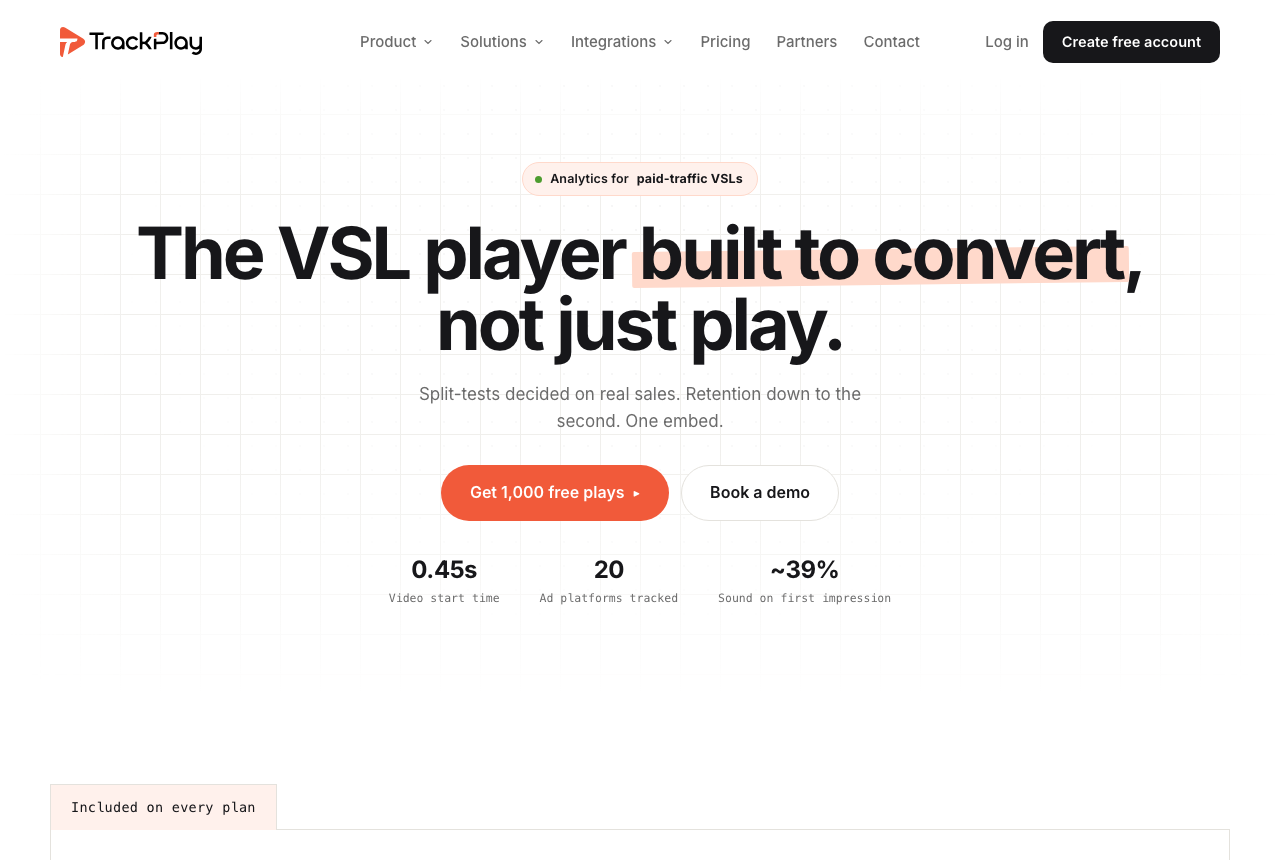
Wistia measures how people watch and Uscreen measures who stays subscribed, and neither connects a single play to a single purchase. Wistia's A/B tests pick a winner on engagement and its pipeline attribution lives inside the CRM, while Uscreen runs no test at all. If your video is a paid-traffic sales letter, that missing link is where the money leaks. TrackPlay is a VSL player and analytics platform for paid-traffic funnels. It holds attention with sound-first autoplay, timed CTAs and watch gates, and draws retention per second split into buyers and non-buyers, with hook rate, hold rate and revenue per play.
Its edge over both is attribution. Your cart posts each verified sale back onto the play that earned it from seven direct-response carts, including ClickBank, ClickFunnels and Digistore24, server to server, and TrackPlay fires that conversion to Meta, TikTok and GA4 so the ad platform optimizes on purchases. Split tests are decided on those sales with a z-test, p-value and confidence interval, and every variant runs under one embed, so ad links and campaign learning never reset. Billing is by plays, every feature ships on every paid plan, paid plans start at $29 a month, and there is a no-card free plan of 1,000 plays a month plus a 14-day trial.
What works
- Split tests are decided on the cart-verified sale with a z-test, p-value and confidence interval, and every variant runs under one embed so ad links and campaign learning never reset
- Server-side conversion tracking to Meta, TikTok and GA4 fires on the watch-time milestone you choose and dedupes browser and server events
- Cart postbacks tie each sale to the play that earned it from seven direct-response carts, including ClickBank, ClickFunnels and Digistore24
- Per-second retention split into buyers and non-buyers, with hook rate, hold rate and revenue per play
- Every feature on every paid plan, billed by plays, with a no-card free plan of 1,000 plays a month and a 14-day trial; paid plans from $29 a month
What to watch
- Narrow by design: built for paid-traffic VSL conversion, it is not a general video host, a B2B content library or a membership platform, so it has none of the channels, SEO pages or webinar tooling of a Wistia or the subscription billing and branded apps of a Uscreen, and is a poor fit if the video's job is content marketing or recurring revenue
- Very new, with thin outside proof: testimonials are on its own site, there is little third-party review or Reddit footprint yet, and signup is currently invite-only, which is what you would expect of a platform this recent
Where TrackPlay is not the answer
It is narrow by design. TrackPlay is built for paid-traffic VSL conversion, so it is neither a general video host, a B2B content library nor a membership platform. It has none of the channels, SEO pages or webinar tooling of a Wistia, and none of the subscription billing, branded apps or community of a Uscreen, so if the video's job is content marketing or recurring membership revenue, Wistia or Uscreen is the better home. Its player, retention analytics and attribution still apply to any recorded sales video you run on paid traffic. It is also very new, with thin outside proof: testimonials live on its own site, there is little third-party review footprint, and signup is invite-only for now, which is what you would expect of a platform this recent. Pilot it on one funnel and reconcile its numbers against your cart before trusting it with a proven offer.
Visit TrackPlay for the current plans and the free tier.
Pricing, tier by tier
Wistia sells plan tiers billed annually, and each step adds storage, bandwidth and marketing features. Wistia Free gives one user 25 GB of storage and 200 GB of bandwidth, with Wistia branding on the player. Business is $79 a month and brings 250 GB of storage, 1 TB of bandwidth and three users, plus CTAs, forms, heatmaps and A/B testing. Business + Signals is the big jump, to $329, and adds HubSpot, Marketo and Pardot sync with lead scoring and pipeline attribution. Webinars are priced on their own page, from $429 on an annual plan.
Uscreen charges a base fee and, above its first plan, a fee for every active subscriber. Starter is $49 a month, billed monthly only, with no subscriber fee, 20 hours of storage, a 10 percent fee on one-time sales and a hard cap of 100 subscribers. Growth is $149 on the annual rate ($199 monthly), lifts the cap and adds 100 hours of storage, and charges $1.99 per subscriber on top. App Essentials, the plan with your own iOS and Android apps, is $449 on the annual rate ($499 monthly) plus $0.99 per subscriber, and includes migration support. There is a 14-day free trial.
Which is cheaper depends on the job. To embed one marketing or sales video with lead capture, Wistia Business at $79 is the plan that matters, and Uscreen would charge you for checkout, a catalog and member tools you never open. To sell monthly access to a library, Wistia has no subscriber checkout to price at all, so Uscreen's real price rivals are other subscription video tools.
Each bill has a number to model. On Wistia it is the tier jump: a team that wants CRM sync goes from $79 to $329, and storage and bandwidth limits push heavier libraries up the ladder. On Uscreen it is the per-subscriber math. At 1,000 members on Growth the fee alone adds $1,990 each month on top of the base, and a Trustpilot reviewer reports being told an annual plan could not be downgraded or cancelled mid-term. Starter's monthly billing is the low-risk way to test the model first.
TrackPlay prices a third way, and it changes the math for a sales letter. It bills by plays rather than seats or subscribers, every feature ships on every paid plan, and paid plans start at $29 a month. A no-card free plan covers 1,000 plays with a watermark, and a 14-day trial unlocks the paid features.
The verdict
Between these two, Wistia wins for this site's core reader, the marketer hosting a pre-recorded marketing or sales video. It gives that video a branded ad-free player, CTAs and forms that capture the viewer, heatmaps that show where attention breaks, and on Signals a direct line into HubSpot, Marketo or Pardot. Uscreen is a strong product, but a single sales video would pay for a storefront, member catalog and app build it never uses. Two limits stay with the Wistia pick. The CRM layer costs $329 a month, and its A/B tests are scored on engagement, so a direct-response marketer still cannot see which variant sold more.
Uscreen wins the membership reader outright. If people pay you monthly for a fitness library, a course catalog or a members-only show, it handles checkout, the catalog, live sessions, a community and, from App Essentials, your own iOS and Android apps. A G2 reviewer singled out having an app as a great experience for both the creator and the members. The trade is cost discipline: a per-subscriber fee on every plan above Starter, apps only from $449 a month, and reports of annual terms that could not be cancelled mid-term. Start on monthly Starter and read the contract before you sign a year.
The tie-breaker is the job the video does. If it markets something and should turn viewers into leads, buy Wistia. If the library is what you sell, buy Uscreen. If it is a paid-traffic sales letter whose split test has to be settled on purchases, look at TrackPlay first, knowing it is the newer and narrower specialist with little outside proof yet.
Our pick
Wistia
The strongest business video platform of the group, but it is built for content marketing and lead gen, not classic VSL funnels. You get branded embeds, CTAs and forms, heatmaps, A/B testing, webinars and real CRM integrations with HubSpot and Marketo. It is overkill and overpriced for a single sales letter: the Business plan is $79 a month and the lead-gen tier jumps to $329, and none of it scores a split test on sales the way a DR player does.
Frequently asked questions
Is Wistia or Uscreen better for an online course?
Which one costs less?
Can Wistia sell subscriptions to my videos?
Can I run a VSL funnel on Uscreen?
Which one gives me a branded mobile app?
Does either one pick a split-test winner on sales?
Is Uscreen good for a fitness membership?
Sources
Other sources
10 discussions and reviews read for this page. Quotes are excerpts; open a link to read the original in context.
- [] Wistia home (vendor)
- [] Wistia pricing (vendor)
- [] Wistia webinar pricing (vendor)
- [] Uscreen home (vendor)
- [] Uscreen pricing (vendor)
- [] TrackPlay (vendor)
- [] Best video hosting platforms for online courses (r/MarketersSuccessClub)
- [] Best video membership platform (r/Wordpress)
- [] Uscreen reviews on G2
- [] Uscreen reviews on Trustpilot
Related reading
- Our full Wistia review, the B2B video platform judged against the sale
- Our full Uscreen review, subscription video software judged against the sale
- Vimeo vs Uscreen: clean no-code hosting or a subscription video business
- Wistia vs Vimeo: marketing platform or clean professional hosting
- Wistia vs Dacast: a marketing video platform or a live-streaming platform with a paywall
- Wistia vs TrackPlay: content marketing or a player that counts sales
- TrackPlay vs Uscreen: a sales-letter player or a members' streaming service
- Wistia alternatives, ranked by whether they move sales
- Uscreen alternatives, ranked by whether they move sales
- The best VSL players and conversion video software
- All head-to-head comparisons
- How we evaluate video tools